Stop Losing Seasonal Sales to Last-Minute Product Photos
Seasonal product photography should make your catalog feel fresh, timely, and giftable. But every campaign can become a scramble: new props, new lighting, new layouts, and not enough time. This guide shows how to plan seasonal visuals as a repeatable system, then use Pixora Smart Presets to create polished campaign images without prompt writing or another expensive shoot.
Why Seasonal Product Photos Matter More Than Decoration
Seasonal product photography is not just about adding pumpkins, snow, flowers, or gift ribbon. It is about helping a shopper understand why this product belongs in their current moment. A candle can become a holiday gift. A skincare set can become a summer travel essential. A ceramic mug can become a cozy winter ritual. The product did not change, but the buying reason did.
That shift matters because seasonal shoppers are usually impatient. They are preparing for a holiday, sale, launch, wedding season, back-to-school period, or social campaign. They want to make a fast emotional decision. If your product image still looks like a plain catalog shot while competitors show timely context, you are asking the buyer to imagine too much on their own.
The risk is not only fewer clicks. Weak seasonal visuals can make a small brand feel behind the calendar. If your Valentine campaign uses the previous year of flat white images, or your Black Friday ads look no different from your spring catalog, shoppers get fewer reasons to stop and pay attention. That is a real opportunity cost.
The goal is not to redesign your brand every month. The best seasonal systems preserve product identity while changing the scene around it. Your lighting, composition, and color discipline stay consistent. The supporting details shift just enough to signal the occasion. That balance lets you look timely without looking random.
What Should a Seasonal Product Photo Actually Do?
A seasonal product photo should do three jobs at once: keep the product clear, connect the product to a buying occasion, and make the campaign feel worth acting on now. If one of those jobs fails, the image becomes weaker. Too much decoration hides the product. Too little context makes the campaign forgettable. Too much urgency makes the brand feel cheap.
Start by naming the buying moment before you choose the look. Is the image for gifting, travel, self-care, hosting, outdoor use, wedding season, or a limited launch? Each answer changes the visual choices. Gift images need packaging cues and warm presentation. Travel images need portability, lightness, and practical context. Hosting images need tabletop scale and social atmosphere. A product on a seasonal background with no buyer story is just a prop exercise.
Next, decide where the image will appear. A hero image for an email campaign can be more expressive than a marketplace main image. A social ad can carry stronger color contrast than a product page thumbnail. A secondary gallery image can show lifestyle context while the first image stays clean and compliance-safe. The right seasonal workflow separates these roles instead of forcing one image to do everything.
Finally, protect product truth. Color, shape, label text, surface texture, and scale need to remain believable. Seasonal context should increase desire, not create confusion. When the product still reads clearly and the occasion feels natural, shoppers can picture ownership faster. That is where seasonal photography turns from decoration into conversion support.
How Do You Build a Seasonal Image Calendar?
A seasonal image calendar starts with revenue moments, not holidays alone. List the campaigns that actually matter to your customers: Valentine gifting, Mother Day gifting, summer travel, back to school, Halloween, Black Friday, holiday gifting, New Year resets, wedding season, local events, and category-specific buying cycles. Then rank them by business value. A handmade candle brand may prioritize holiday gifting and cozy autumn campaigns. A beauty brand may care more about summer skin, travel minis, and New Year routines.
Once you know the moments, map each campaign to visual assets. Most small brands need one clean product page refresh, two to four ad or social variations, one email hero, and a few square or vertical crops. That sounds like a lot until you turn it into a template. Use the same source product photos where possible, then vary the scene, color story, props, and crop for each channel.
Build the calendar at least one campaign ahead. If you start creating holiday visuals in the week you need to launch, every decision becomes rushed. A better rhythm is to prepare source images once, generate seasonal variations in batches, pick the winners, and schedule the campaign before the buying window peaks.
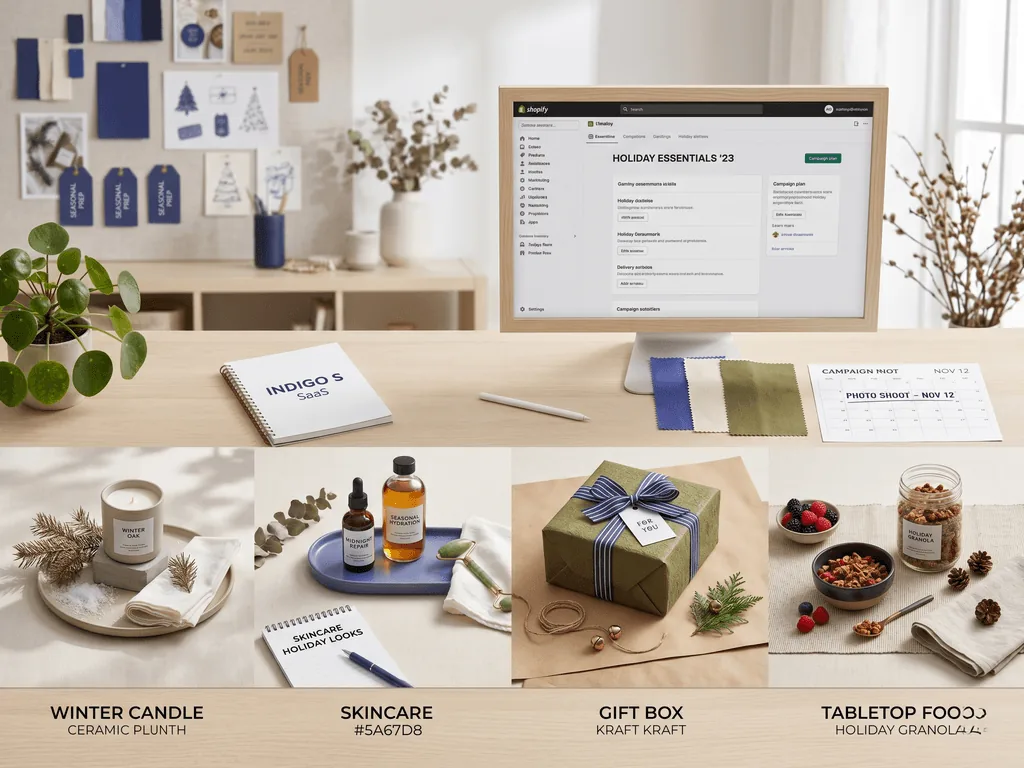
This is where AI-assisted production changes the economics. Traditional seasonal photography often requires new props, styling time, lighting changes, and retouching for every campaign. With Pixora, a clean product image can become a winter gift scene, a spring still life, or a premium tabletop campaign through Smart Presets and short user notes. You still decide the strategy, but you no longer rebuild the set for every occasion.
What Makes Seasonal Photos Look Premium Instead of Tacky?
Premium seasonal photography uses restraint. The product remains the hero, and the season supports the story. Tacky seasonal photography does the opposite: it overloads the frame with obvious symbols until the product feels secondary. A single velvet ribbon can say holiday gifting better than five ornaments. A cool blue shadow can say winter freshness better than artificial snow. A linen napkin and citrus wedge can say summer hosting better than a beach graphic behind every product.
Color discipline is the first safeguard. Choose two seasonal accent colors and keep the rest of the palette calm. If your brand already uses indigo, cream, and black, do not force every campaign into red and green just because it is December. Seasonal adaptation should feel like your brand entering the moment, not your brand wearing a costume.
Composition is the second safeguard. Leave negative space for ads, email headers, and mobile crops. Keep the product large enough to understand at a glance. Avoid placing props directly behind important label text, logos, reflective surfaces, or transparent packaging. The more commercial the channel, the more readable the product needs to be.
The third safeguard is consistency across the campaign. If your email hero looks warm and editorial, but the social ad looks neon and the product page looks flat, the shopper experiences visual friction. A strong seasonal set feels like one campaign seen through multiple formats. That consistency is easier when you define the look before generating assets, then use presets to keep lighting and styling logic aligned.
Before-After-Bridge: From Campaign Scramble to Repeatable Seasonal System
Before: a small e-commerce brand planned seasonal photos only when a sale was already close. The founder bought props, shot products on a kitchen table, edited late at night, and still ended up reusing the same plain catalog photos for most channels. Campaigns launched, but they rarely felt special. Every season created stress instead of momentum.
After: the brand created a simple seasonal image system. Every campaign started with a buying moment, a color direction, a channel list, and a small set of source product photos. The team kept marketplace main images clean, then created campaign-specific secondary images for ads, email, social posts, and product page storytelling. The catalog started to feel alive without looking inconsistent.
The bridge was not a bigger studio. It was a better production model. The brand used Pixora Smart Presets to turn clean source photos into styled seasonal scenes, then used short notes such as "warm holiday gift table," "spring linen surface," or "premium summer skincare mood" to guide the final look. The preset handled composition, lighting, and material-aware scene building, while the brand kept control over taste.
That is the practical transformation. Seasonal campaigns stop being one-off emergencies. They become planned visual batches. The founder gets time back, the brand looks current, and shoppers see products in a context that matches why they are buying right now.
How Pixora Fits Seasonal Product Photography
Pixora fits seasonal product photography especially well because the problem is not only creative. It is operational. Sellers need many campaign variations, but traditional shoots make every variation expensive. Generic AI tools can create random scenes, but they often require long prompts and can drift away from commercial product truth. Pixora Smart Presets are built for the exact middle ground: fast seasonal variation with product-focused structure.
Use Accessory Still Life: Aesthetic Display for candles, jewelry, stationery, packaged gifts, home goods, and small handmade products that need polished campaign images. Use Beauty Creative: Aesthetic Still Life for skincare, cosmetics, soaps, fragrance, and self-care bundles where color, texture, and premium mood matter. Use Food Editorial: Lifestyle Table Setting for drinks, packaged food, restaurant items, and hosting-related products that need seasonal warmth.
The workflow is simple. Keep your source product photo clean and honest. Choose the preset closest to the campaign role. Add a short user note if you need a specific moment, such as "Mother Day gift table with soft flowers" or "Black Friday premium bundle on dark neutral surface." Generate a few options, choose the most brand-aligned result, and use it where seasonal context is useful.
The strongest use case is not replacing every product photo. It is expanding the campaign set around your best source images. Main marketplace shots stay clear. Seasonal supporting images create emotion, urgency, and ownership context. That gives you a richer campaign without the cost and delay of a new shoot for every calendar moment.
Why Seasonal Product Photos Become Expensive Fast
Each campaign needs new context, crops, and mood even when the product itself has not changed
Props and manual styling can make small brands spend hours on images that only run for a short window
Generic holiday visuals can hide the product and make the brand feel less premium
Inconsistent seasonal assets make ads, email, product pages, and social posts feel disconnected
Seasonal Planning Numbers to Use
1 ahead
Plan at least one campaign window ahead so visual decisions are not made during launch week
2-4
Create two to four seasonal variations per hero product for ads, email, social, and gallery testing
90%
Potential cost reduction compared with repeated traditional studio production when using Pixora
Create a Seasonal Campaign Set From One Product Shot
Upload a clean source image, choose a Smart Preset, and generate seasonal variations for ads, email, and product pages before booking another shoot.
Choose the campaign reason first: gifting, travel, hosting, sale urgency, self-care, wedding season, or a limited launch.
A clear visual direction instead of random seasonal props.
02
Create a Reusable Source Set
Capture clean, well-lit product images with readable labels, accurate color, and enough space for cropping across channels.
A reliable base that can support multiple seasonal scenes.
03
Generate Channel-Specific Variations
Use Pixora presets for styled campaign images, then pick different crops or moods for email, social ads, and product galleries.
A complete seasonal asset set without rebuilding a physical set.
Seasonal Product Photo Checklist
The product remains the largest and clearest subject in the frame
The seasonal cue supports a real buying moment instead of acting as decoration only
The palette uses one or two accent colors that still fit the brand
The composition leaves safe space for mobile crops, ad text, or email layouts
The campaign set feels consistent across product page, email, ads, and social posts
What Improves With a Seasonal Photo System
Campaigns feel timely without requiring a new studio setup every month
Products become easier to imagine as gifts, bundles, routines, or event-ready purchases
Creative testing gets faster because you can compare several visual angles quickly
Your brand keeps a consistent look even when the campaign mood changes
Launch weeks become less stressful because visuals are prepared before demand peaks
Share this article
Build Seasonal Campaign Images Before the Rush Starts
Stop losing campaign momentum to last-minute photo production. Use Pixora Smart Presets to turn one clean product shot into polished seasonal visuals for ads, email, social, and product pages.
Seasonal product photography shows the same product in a context tied to a buying moment, such as holiday gifting, summer travel, back to school, Black Friday, or New Year routines. The goal is to make the product feel timely while keeping it clear and truthful.
Prepare at least one campaign window ahead. That gives you time to create source images, generate variations, choose the strongest assets, and schedule ads or emails before the buying period peaks.
Not always. Marketplace and product page main images often need to stay clean and consistent. Seasonal visuals usually work best as secondary gallery images, campaign landing page images, email heroes, ads, and social content.
Yes, if you use a controlled workflow. Start with a clean source photo, choose a preset that matches the product category, keep notes short and specific, and avoid scenes that add too many props or change perceived product color, scale, or material.
Accessory Still Life: Aesthetic Display is useful for gifts, jewelry, candles, and small goods. Beauty Creative: Aesthetic Still Life works well for skincare and self-care bundles. Food Editorial: Lifestyle Table Setting is strong for seasonal food, drinks, and hosting campaigns.
For priority products, start with two to four variations. That is enough to test different channels and moods without creating a messy campaign. Keep the strongest version for the main campaign and use the rest for social, email, or ad testing.