Stop Losing Launch Time to a Product Photography Light Box
A product photography light box looks like the affordable shortcut until every SKU needs setup, cleanup, retouching, and another round of reshoots. This guide shows when a light box still helps, when it quietly becomes a bottleneck, and how AI Smart Presets can turn simple source photos into marketplace-ready images without making you learn studio lighting.
A better light box alternative is any workflow that gets you clean, consistent, sales-ready product photos without turning every launch into a mini studio day. For a small catalog, a light box can be useful. It gives you a repeatable place to capture a candle, phone case, bottle, ring, or small accessory under controlled light.
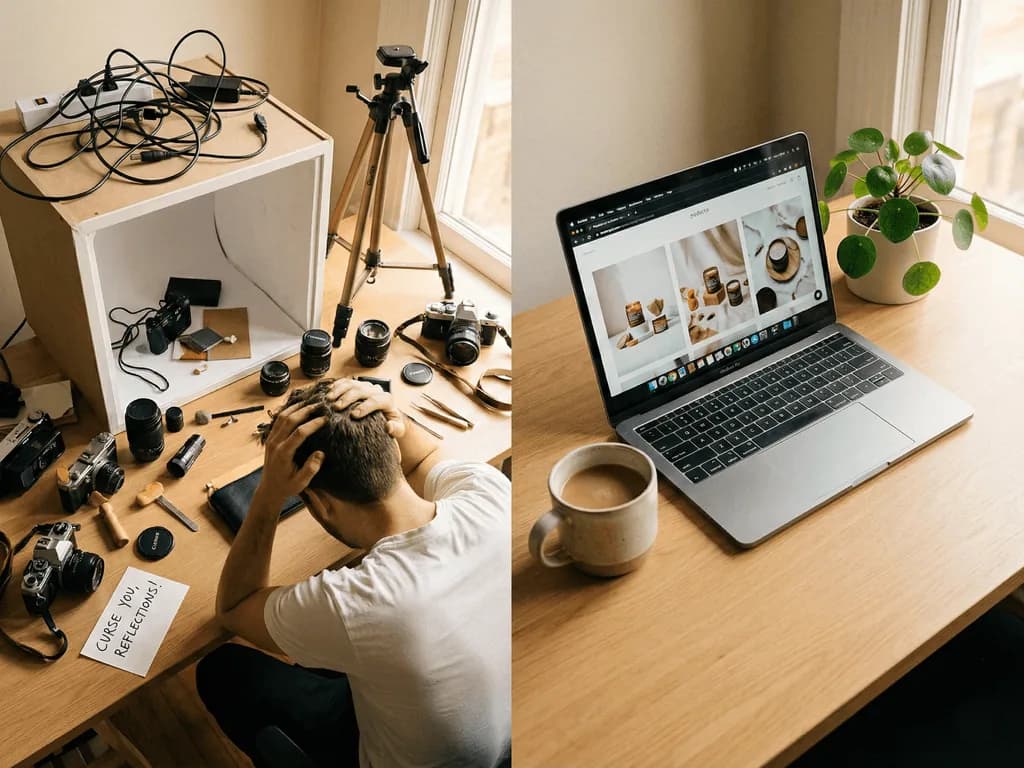
The problem starts when your business grows. The box that felt simple for five products becomes slow for fifty. You still need to stage every item, control reflections, avoid gray backgrounds, fix color shifts, crop consistently, and retouch dust or shadows. If you sell on Amazon, Shopify, Etsy, and social media, one clean white shot is no longer enough. You need main images, gallery images, lifestyle scenes, seasonal ads, and brand-consistent variations.
That is why the real question is not "Do light boxes work?" They do. The sharper question is "Does this setup help me sell faster than it consumes my time?" If the answer is no, an AI product photography workflow becomes the stronger alternative. You can use your phone to capture a clear source image, then use preset-guided generation to create clean white catalog photos, contextual lifestyle scenes, and polished creative shots in minutes.
Why Does a Light Box Become Expensive?
A light box becomes expensive when you count the full workflow, not just the purchase price. The box may cost $50 to $150, but the real expense hides in setup time, retouching time, rejected shots, and inconsistent output between products. Small sellers often start with the hopeful version of the plan: buy the box, put the product inside, take the photo, upload the listing. In practice, product photography rarely stays that clean.
Glossy packaging throws reflections back at the camera. White products disappear into white backgrounds. Tall bottles exceed the height of the tent. Jewelry needs sparkle without harsh glare. Electronics need clean edges and controlled shadows. A folded shirt looks flat unless you steam, pin, and shape it. Every difficult product category teaches you another lesson, and each lesson costs hours.
This is loss aversion in practical business terms: every hour spent fighting the setup is an hour not spent improving listings, testing ads, sourcing inventory, or answering customers. The light box is not the enemy. The bottleneck is the expectation that a cheap piece of gear automatically gives you a professional visual system. It gives you a capture environment. You still have to provide the lighting judgment, editing discipline, and consistency.
Where Light Box Workflows Break Down
You spend more time preparing the shot than writing the listing.
Products look inconsistent because each session has slightly different light, crop, and shadow.
White backgrounds still need editing before they look pure white and marketplace-ready.
Lifestyle and seasonal images require props, surfaces, space, and new shoot time.
When Should You Still Use a Light Box?
You should still use a light box when you need fast internal documentation, simple reference shots, or a controlled source photo for AI. A light box is good at reducing visual chaos. It can help your phone camera focus properly, keep colors close to reality, and separate the product from a messy room. For sellers who already own one, it can become a useful capture station.
The mistake is treating the capture station as the final creative system. A clean source image and a sales-ready image are different jobs. The source image needs clarity: sharp focus, full product visibility, enough lighting, and no blocked edges. The final image needs commercial polish: consistent crop, credible shadow, correct background, platform fit, and a look that matches buyer expectations.
This is the before-and-after shift. Before, you try to make the light box produce the final result, so every imperfection sends you back into setup mode. After, you use the light box only to capture the product clearly, then let a preset-based AI workflow handle the presentation layer. The bridge is simple: capture for accuracy, generate for selling. That mental split protects your time and raises the quality ceiling.
Light Box vs AI Presets
$50+
Typical entry cost before accessories, retouching tools, and time
10+ hrs
Common learning time for lighting, staging, cropping, and cleanup
$9.90
Pixora Pro monthly plan with 2,000 credits and all presets
How Do AI Presets Replace Studio Decisions?
AI presets replace studio decisions by encoding the choices a seller usually has to learn manually. Instead of asking you to decide light direction, surface texture, shadow softness, background style, and platform fit, a preset gives the AI a finished photographic recipe. You still choose the business outcome, but you do not have to describe every technical ingredient.
For example, a fashion seller can use Pixora's Fashion E-commerce Studio preset for clean white catalog shots. A jewelry or watch seller can use Accessory Studio for a crisp marketplace frame. A gadget seller can use Tech Studio for a clean product-first image that keeps attention on the device. These presets are not random backgrounds. They are structured around product categories and the way shoppers judge those categories.
The advantage is consistency. A light box makes consistency possible only if you repeat the same physical setup every time. Smart Presets make consistency easier because the workflow repeats the same creative rules across SKUs. That matters when a buyer scrolls through a collection page. If every image has a different crop, tone, and shadow, the store feels improvised. If the catalog feels visually aligned, the brand feels more established.
Turn one source photo into a catalog-ready image
Use Pixora's Smart Presets to create clean white, lifestyle, and creative product photos without buying another light, backdrop, or editing tool.
You need a clear source photo, not a perfect studio image. That distinction matters. AI can improve backgrounds, lighting feel, and presentation, but it still needs to understand the actual product. Give it a sharp image with the full item visible, neutral lighting, and enough space around the edges. Avoid cutting off handles, lids, straps, cords, or packaging corners.
For best results, shoot the product at the angle you want to sell. If the hero image should show the front label, do not upload a steep top-down view. If the product has important side details, use a three-quarter angle. Clean the item before shooting, because dust and fingerprints can carry into the final composition. Use a simple background if possible, but do not obsess over making it perfect.
This is where a light box can still earn its place. It can help you make clean source photos quickly. But the source photo is only the input. The final sales image can come from AI presets that add a pure white background, create a tasteful lifestyle context, or produce a polished studio look. That split lets you stop chasing impossible perfection at the capture stage.
The Faster Light Box Alternative Workflow
01
Capture the product clearly
Use a phone, window light, or your existing light box. Keep the product sharp, fully visible, and centered with space around it.
A reliable source photo instead of a finished studio shot.
02
Choose the right preset
Pick a category-aware preset such as clean white studio for marketplace listings or a lifestyle preset for secondary images and ads.
Professional lighting and background rules without prompt writing.
03
Generate, compare, and publish
Create a few variations, keep the strongest image, then use it across listings, collection pages, ads, and seasonal campaigns.
More usable product visuals with less setup time.
How Should You Decide Between Gear and AI?
Decide between gear and AI by looking at your bottleneck. If your bottleneck is source-photo clarity, a light box, tripod, or better phone setup may help. If your bottleneck is final polish, catalog consistency, platform variations, or launch speed, more gear will not solve the core problem. It may even make the workflow heavier.
Use a simple rule: buy gear only when it improves the input. Use AI when you need faster output. That rule keeps spending disciplined. A $40 tripod can reduce blur. A $300 lighting kit may be unnecessary if your real need is clean white backgrounds and consistent lifestyle images. A seller with twenty new SKUs does not need a more complicated studio. They need a repeatable image production system.
Tools like Pixora are built for that system-level job. You upload a product photo, choose a Smart Preset, optionally add notes for creative direction, and generate visuals that fit a real selling context. It is not about pretending equipment has no value. It is about refusing to let equipment become the work. Your storefront should look professional while your workflow stays light.
Before You Buy Another Light Box, Check This
Can your current phone photo clearly show the full product and label?
Is the real problem lighting, or is it background cleanup and consistency?
Do you need only one white image, or a full set for marketplace, website, and ads?
Will this purchase reduce launch time this week, or add another tool to manage?
Could the same money be better spent creating more images from your existing product photos?
What You Gain by Switching the Workflow
Launch new SKUs without waiting for a full shoot day.
Keep catalog photos visually consistent across product categories.
Create white-background and lifestyle images from the same source capture.
Spend less time retouching shadows, crops, and background color.
Build a storefront that feels more established than your equipment budget.
What Is the Practical Recommendation?
The practical recommendation is to stop asking one tool to do every job. Use simple capture methods for accuracy and AI presets for presentation. If you already own a light box, keep it. Use it to get clean source photos. If you do not own one, start with a phone, soft window light, a plain surface, and a preset workflow before buying more equipment.
This approach gives you the best of both worlds. You still control the product truth: shape, label, color, and angle. You also gain the visual range that physical setups make expensive: clean white catalog shots, polished lifestyle scenes, seasonal variations, and category-specific looks. A small brand can suddenly behave like a larger one, not because it bought a studio, but because it removed the slowest part of image production.
Professional product photos are not just decoration. They are trust signals. When shoppers see a consistent catalog, they feel the brand is organized, credible, and ready to deliver. That feeling can be the difference between a visitor who hesitates and a buyer who clicks. The right alternative to a light box is not less quality. It is a faster path to the quality your products already deserve.
Share this article
Create product photos without building a studio
Upload a clear source image, choose a Smart Preset, and generate marketplace-ready photos for your next launch in minutes.
AI is better when your goal is fast, polished, scalable product imagery. A light box is useful for capturing clear source photos, but AI presets are stronger for creating consistent white-background, lifestyle, and campaign-ready images.
No. You can start with a phone photo in simple lighting. If you already own a light box, it can help you capture cleaner inputs, but Pixora handles the final presentation with Smart Presets.
Yes. Pixora includes clean white studio presets for categories such as fashion, accessories, beauty, food, furniture, and electronics. These are designed for product-first marketplace images.
Small and medium products such as apparel, accessories, cosmetics, packaged food, electronics, home goods, and jewelry work especially well. The key is uploading a clear, sharp source photo with the full product visible.
Pixora is designed for product photography workflows where product identity matters. You should still provide a clear source image and review outputs before publishing, especially for labels, logos, and fine details.
For most growing sellers, yes. Pixora Pro is $9.90/month, while a light box setup can require extra lights, tripods, backdrops, editing software, and hours of learning before the images look professional.