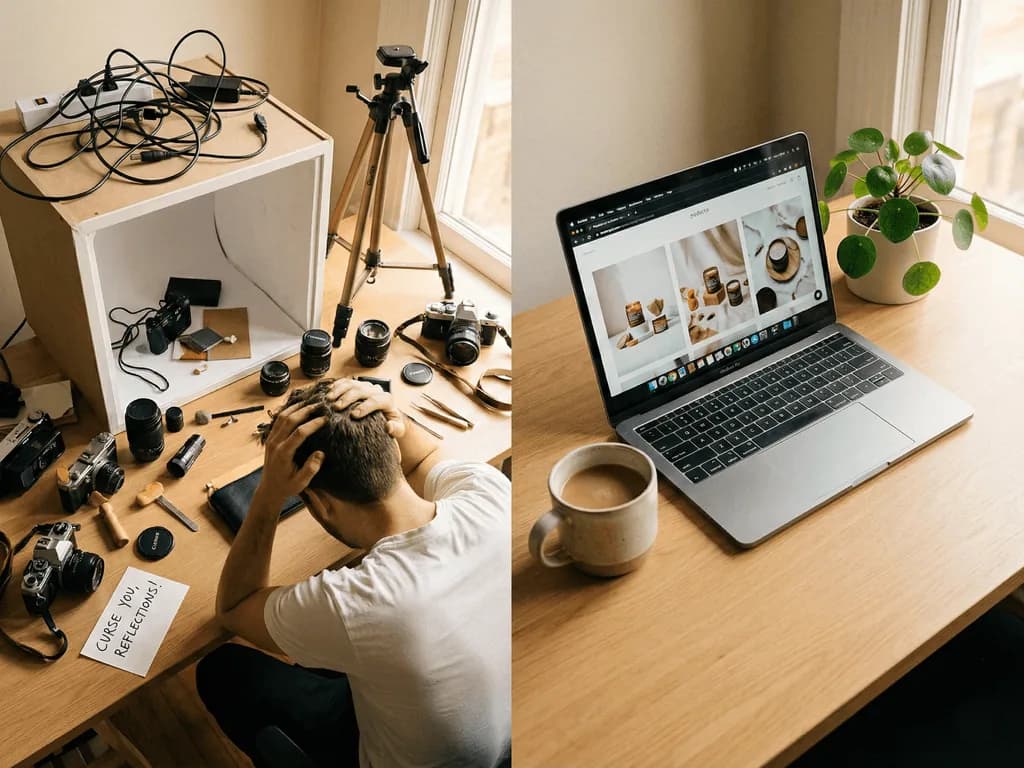
The 7 Best AI Product Photography Tools in 2026, Ranked
You need professional product photos. You cannot afford a $1,700 studio shoot for every SKU. AI tools promise to solve this — but which ones actually deliver? We tested the most popular platforms on real products across fashion, beauty, electronics, and food. Here is what we found.
Quick Comparison: Which AI Product Photography Tool Should You Choose?
Choose Pixora if you want prompt-free Smart Presets for ecommerce product photos, white backgrounds, lifestyle scenes, ghost mannequin effects, on-model visuals, food shots, jewelry images, furniture images, and marketplace-ready outputs.
Choose Photoroom if you need a broad ecommerce visual editor with background removal, brand kits, batch workflows, and mobile-to-desktop editing.
Choose Pebblely if you want fast AI backgrounds, templates, and simple marketing assets from one product image.
Choose Pixelcut if your workflow is mobile-first and focused on quick creator-style assets.
Choose a Google Shopping-focused tool if your priority is feed-level creative testing, ad CTR experiments, and bulk lifestyle variations for paid shopping campaigns.
For most small ecommerce sellers, the decision comes down to workflow. Prompt boxes give flexibility but create inconsistency. Template libraries are fast but can feel generic. Pixora is positioned around the middle ground: category-specific presets that encode product photography decisions while still letting users steer the output with plain-language notes.
How We Evaluated the Tools
We evaluated AI product photography tools using the criteria ecommerce teams actually care about: product accuracy, background quality, white-background compliance, catalog consistency, marketplace usefulness, ease of use, output speed, price per usable asset, and how much editing skill is required after generation.
The most important test is not whether a tool can make one impressive image. It is whether a seller can repeat the result across many SKUs without product distortion, style drift, or a long prompt-writing process. A good product photo tool should help with Amazon main images, Shopify product pages, Etsy listings, social media content, ad creatives, and seasonal campaign assets without forcing the user to rebuild the workflow from scratch each time.
Why This Comparison Matters for Your Business
Every day your products sit online with mediocre photos, you are losing sales. Research shows that 75% of online shoppers base their purchase decision primarily on product images. For Amazon sellers, image quality directly impacts A9 algorithm rankings. For Shopify and Etsy stores, it determines whether a visitor stays or bounces within 3 seconds.
The AI product photography market has exploded in 2026. Dozens of tools now promise studio-quality results from a phone photo. But the reality is more nuanced. Some tools excel at background removal but fail at lighting simulation. Others generate creative scenes but distort product details. A few are built specifically for commercial use — marketplace-compliant outputs, consistent catalog styling, and accurate product preservation.
We evaluated each tool on five criteria that matter most to e-commerce sellers: output quality (does the image look professional and accurate?), ease of use (how fast can a non-designer get results?), marketplace compliance (will Amazon, Etsy, or Shopify accept the output?), pricing value (cost per image at scale), and catalog consistency (can you maintain a unified look across hundreds of SKUs?).
Here are the seven tools that stood out — ranked from best to good.
#1 Pixora — Best Overall for E-Commerce Sellers
Pixora takes the top spot for one reason: it eliminates the biggest friction point in AI photography — prompt writing. While every other tool on this list requires you to describe what you want (lighting, angle, mood, background), Pixora uses Smart Presets that encode professional photography knowledge into one-click workflows.
Pick a preset like "Fashion E-commerce Studio" or "Food Cinematic: Dark & Moody," upload your product photo, and receive a marketplace-ready image in seconds. The AI performs a deep analysis of your product — identifying surface materials, shape geometry, and color palette — then constructs an entire scene with physically accurate lighting, shadows, and reflections. No prompt engineering. No design skills. No guessing.
What sets Pixora apart:
The preset library covers every major product category: fashion (including ghost mannequin), beauty, food, electronics, furniture, jewelry, and even real estate virtual staging and architectural visualization. Each preset is purpose-built for its category. The jewelry preset understands reflective surfaces. The food preset knows the difference between a dark moody editorial and a clean menu shot. The fashion preset can place garments on invisible mannequins or AI-generated models.
Every preset also supports a User Notes field — a plain-language text box where you can steer the creative direction without learning prompt syntax. Type "warm autumn tones" or "minimalist Scandinavian feel" and the AI adapts while maintaining professional standards.
For marketplace sellers, Pixora's studio white presets generate pure RGB 255,255,255 backgrounds that pass Amazon's strict requirements without manual editing. Lifestyle presets create scroll-stopping secondary images for A+ content and social ads.
Pricing: Free tier with 100 lifetime credits. Pro plan at $9.90/month with 2,000 credits and access to all presets. Extra credit packs available for seasonal campaigns.
Best for: E-commerce founders, Amazon/Etsy/Shopify sellers, small brands that need professional results without photography expertise.
Pixora at a Glance
$9.90
Per month for 2,000 credits and all presets
20+
Category-specific Smart Presets
0
Prompts required — just pick a preset
#2 Photoroom — Best for Mobile-First Sellers
Photoroom has earned its reputation as the go-to mobile editing app for e-commerce. Its background removal is fast and accurate, and the template library offers over 1,000 e-commerce-ready designs. The Product Beautifier feature enhances lighting and texture automatically, while Virtual Model generates on-model apparel shots without a photoshoot.
Where Photoroom excels is speed and accessibility. The mobile app is polished, batch processing handles large catalogs efficiently, and the API integration makes it suitable for teams with developer resources.
However, Photoroom's AI backgrounds can look artificial in complex scenes. The tool is primarily a background replacement and enhancement platform rather than a full scene generation system. It works best for simple white backgrounds and template-based compositions. If you need atmospheric lighting, contextual storytelling, or category-specific intelligence (like handling reflective jewelry or transparent glass), you will hit its limits.
Pricing: Free tier available. Pro from $7.50/month (annual). Business from $20.99/month.
Best for: Mobile-first sellers, high-volume background removal, marketplace listings needing quick turnaround.
#3 Pebblely — Best Free Tier for Beginners
Pebblely offers the most generous free tier in this category: 40 images per month at no cost. For a seller just launching their first 10-20 products, that may be enough to get started.
The theme-based approach is similar in philosophy to Pixora's presets — select a pre-built look instead of writing a prompt. Pebblely offers 40+ themes covering common scenarios like marble surfaces, outdoor settings, and holiday themes. Results are decent for simple products on lifestyle backgrounds.
The limitations become clear at scale. Theme-based output lacks the deep product analysis that category-specific tools provide. A gold ring and a leather bag receive the same lighting treatment, which looks natural for neither. Consistency across large catalogs is difficult because each generation introduces slight variations in lighting direction and color temperature. And the output is not optimized for specific marketplace requirements like Amazon's pure white standard.
Pricing: Free (40 images/month). Paid plans from $19/month.
Best for: Beginners testing AI photography, social media product shots, small catalogs under 20 SKUs.
Skip the Comparison — See Results on Your Own Products
Upload a product photo and try Pixora's Smart Presets. No credit card, no prompt writing, no design skills needed.
Flair.ai takes a fundamentally different approach: instead of presets or prompts, it gives you a drag-and-drop canvas where you compose scenes manually. Place your product, add AI-generated props, adjust lighting, and render.
For designers and agencies who want granular creative control, this is powerful. You can build custom scenes, position elements precisely, and maintain brand guidelines across campaigns. The real-time collaboration features make it suitable for team workflows.
The tradeoff is complexity. Flair requires visual literacy that most e-commerce entrepreneurs do not have. Building a scene from scratch takes significantly longer than selecting a preset. And the tool has a documented issue with product distortion — particularly around fine text, logos, and reflective surfaces. For categories like jewelry, cosmetics, or electronics where precision matters, this is a meaningful limitation.
Pricing: Free tier available. Pro from $10/month. Scale from $55/month.
Best for: Designers, agencies, brands with in-house creative teams who want full compositional control.
#5 Claid.ai — Best for API-First Automation
Claid.ai is built for developers and teams that want to integrate AI photography into existing workflows programmatically. Its API-first approach means you can automate image enhancement, background generation, and even on-model fashion shots through code.
The AI Photoshoot feature generates campaign-style images from a single product photo, and the Smart Frame feature handles intelligent cropping for different platforms. For large e-commerce operations with thousands of SKUs and a development team, Claid offers the automation layer that manual tools cannot match.
The downside is the learning curve. Setting up API workflows requires technical knowledge. The self-serve interface exists but is not the primary experience. And users report that the AI occasionally adds unintended elements around products — an issue that requires manual review at scale. Pricing starts affordable at $9/month but professional features require the $39/month tier.
Pricing: Essentials $9/month. Professional $39/month. Business custom.
Best for: Developer teams, large catalogs requiring automated processing, API-driven workflows.
#6 Nightjar — Best for Catalog Consistency
Nightjar focuses on a specific problem: maintaining visual consistency across large product catalogs. Its "Photography Styles" system lets you define a visual standard — lighting, composition, camera feel — and apply it uniformly to every new SKU.
This is valuable for brands with hundreds or thousands of products where a cohesive catalog look is essential. The multi-shot generation feature creates multiple angles from a single source image, and color variant generation saves time when products come in multiple colors.
The limitation is scope. Nightjar is a consistency tool, not a creative tool. If you need lifestyle contexts, on-model shots, or atmospheric scenes, you will need to pair it with another platform. The per-image pricing (~$0.10) is economical at volume but can add up for sellers who need multiple variations per product.
Pricing: Subscription-based, approximately $0.10 per image.
Best for: Large catalogs prioritizing visual consistency, brands with established style guidelines.
#7 Adobe Firefly — Best for Existing Adobe Users
Adobe Firefly brings generative AI into the Creative Cloud ecosystem. If your team already lives in Photoshop and Illustrator, Firefly's Generative Fill and background replacement tools integrate seamlessly into existing workflows.
The key advantage is trust. Adobe trains Firefly on licensed content, providing legal clarity for commercial use. The quality of generative fill is impressive for general creative work, and the integration with Photoshop means you can manually refine any AI output.
For product photography specifically, Firefly is a general-purpose tool being applied to a specialized problem. It lacks category-specific intelligence, marketplace compliance presets, and the product analysis capabilities that purpose-built tools offer. You will spend time writing prompts, adjusting outputs, and manually ensuring marketplace compliance — work that specialized tools handle automatically.
Pricing: Standard $9.99/month. Pro $29.99/month.
Best for: Creative professionals already in the Adobe ecosystem, teams needing manual post-production control.
What to Watch Out for When Choosing an AI Photography Tool
Product distortion — some tools alter text, logos, or product geometry during generation
Lighting mismatch — the AI background has different lighting than your product, creating a "pasted on" look
Marketplace rejection — outputs that look creative but fail Amazon's pure white or Etsy's dimension requirements
Prompt dependency — tools that require prompt engineering shift the learning curve rather than eliminating it
How to Choose the Right Tool for Your Business
01
Define Your Primary Need
Are you selling on Amazon (compliance-critical), Shopify (brand storytelling), or social media (scroll-stopping visuals)? Each platform demands different outputs.
A clear picture of which features matter most for your sales channels.
02
Test with Your Actual Products
Every tool handles different product categories differently. A tool that excels at flat-lay fashion may struggle with reflective jewelry or transparent glass.
Real results you can compare, not marketing screenshots from the tool's website.
03
Calculate Your True Cost Per Image
Factor in subscription cost, credits per image, time spent writing prompts or adjusting outputs, and manual editing needed afterward.
An honest comparison that accounts for your time, not just the sticker price.
AI Product Photography Tool Evaluation Checklist
Does the output preserve your product's text, logos, and fine details accurately?
Can you generate marketplace-compliant images (pure white, correct dimensions) without manual editing?
Does the tool offer category-specific presets or workflows for your product type?
Can you maintain consistent styling across your entire catalog?
Is the time-to-result under 2 minutes including upload, selection, and generation?
What Happens When You Pick the Right Tool
Product launches drop from days to hours — no studio scheduling, no shipping, no waiting
Catalog consistency builds brand trust across every listing and platform
Marketplace compliance is automatic, eliminating image rejection delays
Photography costs drop by 90% while output quality matches professional studios
Seasonal campaigns and A/B testing become effortless with unlimited variations
Share this article
See Why Pixora Ranked #1
No prompts. No design skills. No marketplace compliance headaches. Upload a product photo, pick a Smart Preset, and get a professional image in seconds. Start with 100 free credits.
Pixora eliminates the biggest friction in AI product photography: the learning curve. Smart Presets encode professional photography knowledge so you never write a prompt or adjust settings. Combined with category-specific intelligence that understands how light interacts with different materials, marketplace compliance built into every output, and pricing at $9.90/month — it offers the best combination of quality, ease, and value for e-commerce sellers.
Yes, and many sellers do. A common workflow is using one tool for bulk background removal and another for creative lifestyle shots. However, using a single platform like Pixora that handles both studio white and lifestyle contexts maintains better visual consistency across your catalog.
Studies show AI-enhanced product photos perform comparably to traditional studio photography in conversion metrics. Sellers using AI-generated backgrounds report up to 40% higher click-through rates compared to DIY phone photos. The key is output quality — not all AI tools produce equal results.
Amazon does not prohibit AI-generated images as long as they meet the platform's image requirements: pure white background (RGB 255,255,255), product filling 85% of the frame, no text or watermarks. Tools with marketplace-compliant presets, like Pixora's Studio White presets, generate outputs that meet these standards automatically.
Most sellers generate 2-4 images per product (one studio white, one lifestyle, and one or two variations). With Pixora's Pro plan offering 2,000 monthly credits, you can photograph hundreds of products per month.
Pixora covers the widest range of use cases through its preset library: studio white backgrounds, lifestyle contexts, on-model photography, ghost mannequin effects, virtual staging, and more. For most e-commerce sellers, a single platform handles everything without juggling multiple subscriptions.