Workflow Overview
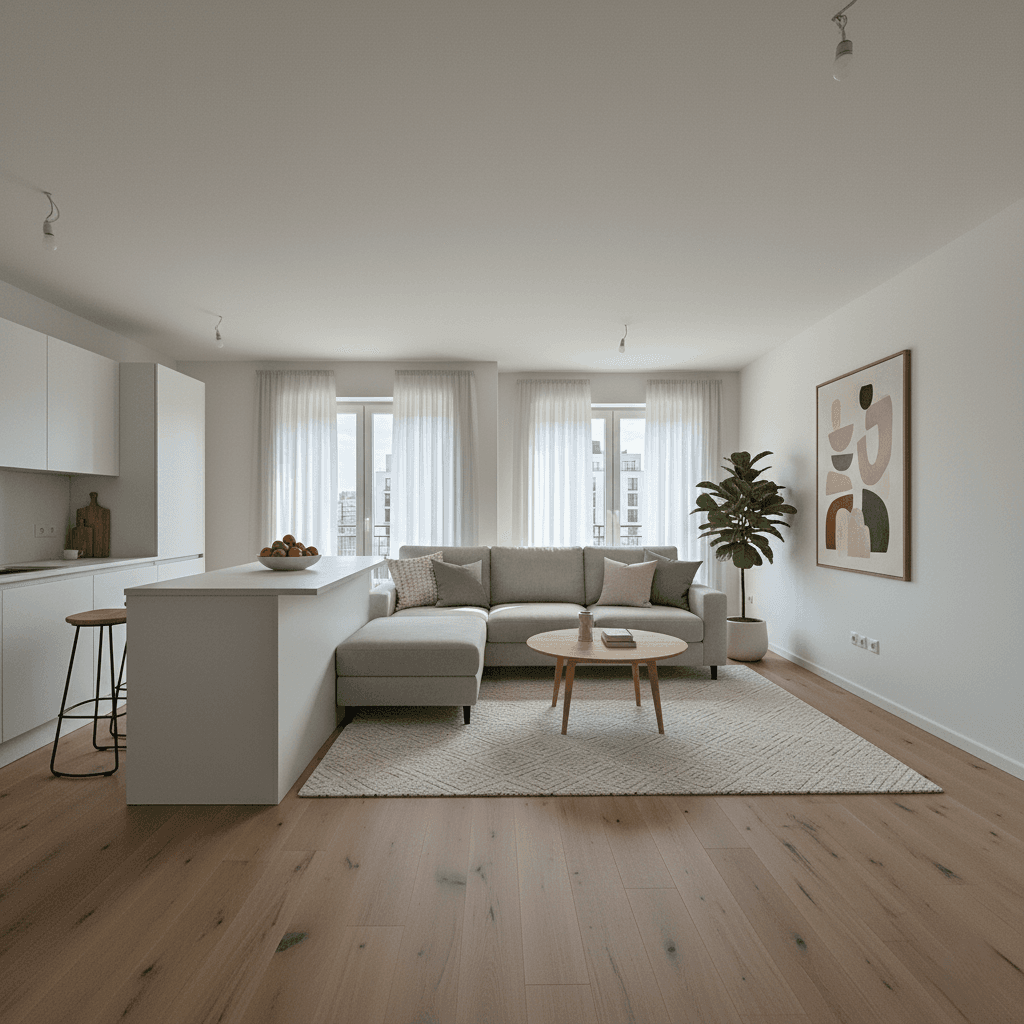
Transform photos of empty rooms into fully furnished, inviting living spaces. Uses Modern Scandinavian or Contemporary style furniture that appeals to most buyers, with realistic shadows matching the room's light sources.
How to use
1. Select 'Real Estate: Virtual Staging & Furnishing'. 2. Upload one or more photos of your empty room from different angles. 3. (Optional) Use 'Additional Notes' to specify furniture style or room purpose. 4. Generate to add realistic furniture and decor. 5. Download your staged listing photo.
Best for
- Real estate listing photography
- Property rental advertisements
- New construction marketing
- Interior design proposals
- Home staging for quick sales
Tips
- Multiple Angles: Upload photos from different corners to help the AI understand the full room layout.
- Describe Your Vision: Use 'Additional Notes' to specify style—'luxury penthouse', 'cozy family home', or 'modern bachelor pad'.
- Wide Angle: Capture as much of the room as possible to give the AI context for furniture placement.
- Good Lighting: Well-lit rooms produce more realistic staging results.
- Clear Floors: Ensure floors are visible and unobstructed for accurate furniture placement.
Gallery
FAQ
Can I choose the furniture style?
Does it work for partially furnished rooms?
Is this legal for real estate listings?
Categories
Requirements
A clear photo of an empty or sparsely furnished room is required. Use 'Additional Notes' to specify furniture style preferences, or leave empty for modern defaults.
Watch out for
The AI places furniture based on room type and layout. Very small or unusually shaped rooms may have limited furniture placement options.
