
The TechnologyGuide6 min read

AI Background Generation: From Phone Snap to Studio Shot

Traditional product photography costs $25-500 per image. AI background generators deliver the same quality for under $1—and in seconds, not days. Here is how the technology works and why it matters for your brand.

Start generating

No credit card required

AI Background Generation: From Phone Snap to Studio Shot

The Science Behind AI Backgrounds

AI background generation isn't just "pasting" your product onto a new scene. Modern systems use a multi-step pipeline: First, a vision model analyzes your product—identifying materials like brushed metal, matte leather, or refractive glass. Then, a language model generates precise rendering instructions based on professional photography principles. Finally, an image generation model creates a new scene that respects your product's original lighting, shadows, and geometry. The result? A cohesive image where the product looks naturally placed, not awkwardly composited.
Material-Aware Rendering: Why Your Glass Looks Like Glass

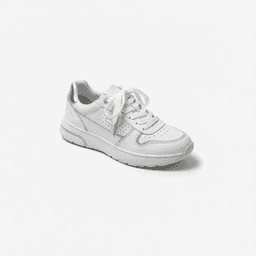
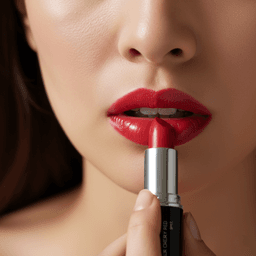
Generic AI tools treat every product the same—a diamond ring gets the same treatment as a hamburger. Advanced AI background generators understand material physics. Glass refracts light; chrome reflects its surroundings; velvet absorbs it. When you upload a perfume bottle, the AI simulates how light would behave through the glass, creating realistic caustics and reflections. This "material intelligence" is what separates professional AI tools from toy filters.

Contextual Scene Generation: The Right Background for the Right Product

Context sells. A rugged hiking boot belongs on gravel, not silk. A luxury watch deserves marble, not plastic. AI background generators with contextual intelligence analyze your product category and generate appropriate surroundings automatically. Upload a food item, and the AI creates appetite-appealing settings with natural textures. Upload jewelry, and it builds a sophisticated still-life scene. This contextual awareness eliminates the "random AI chaos" of generic generators.

Lighting Simulation: The Studio in Your Browser

Professional photographers spend years mastering lighting. Key light, fill light, rim light—each serves a purpose. AI background generators encode this expertise into their systems. They analyze your product's existing illumination and generate complementary lighting in the new background. Soft-box ratios, color temperature curves, shadow density—all calculated to match. Your phone photo inherits the lighting sophistication of a $5,000 studio setup.

Shadows and Reflections: The Details That Make It Real

Amateurs forget shadows. AI doesn't. When generating a new background, intelligent systems calculate where shadows should fall based on the implied light source. They add subtle floor reflections for glossy surfaces, ground contact shadows for depth, and ambient occlusion where the product meets the surface. These micro-details are invisible when done right—but their absence screams "fake". AI handles them automatically.

From Chaos to Control: Why Presets Beat Prompts

Early AI tools required users to describe scenes in text: "product on marble counter, soft lighting, 45-degree angle, shallow depth of field..." This "prompt engineering" is time-consuming and inconsistent. Modern AI background generators use Smart Presets—pre-configured workflows that encode professional photography knowledge. You pick a style; the AI handles the technical complexity. No guesswork, no prompt tweaking, just predictable, professional results.

Traditional Background Challenges

  • Studio rentals cost $500-2,000 per day
  • Shipping products to photographers adds weeks to timelines
  • Reshoots for different backgrounds multiply costs
  • Inconsistent lighting across catalog destroys brand cohesion

AI Background Generation by the Numbers

76%

Of small businesses report 80%+ cost savings with AI photography

$0.10-$2

Cost per AI-generated image vs $25-500 traditional

< 30 sec

Time to generate a professional background

Try It Yourself

Upload any product photo and watch AI transform the background in seconds.

Start generating

The AI Background Workflow

01

Upload Your Product

Start with any photo—even a phone snapshot. The AI extracts your product from its current background automatically.

Clean product isolation.

02

Choose Your Scene

Browse preset categories: Studio White, Lifestyle Interior, Outdoor Nature, Abstract Gradient, and more.

Professional context selected.

03

Generate & Download

AI creates a new scene with proper lighting, shadows, and reflections. Download in seconds.

Marketplace-ready visuals.

AI Background Quality Checklist

  • Does the lighting direction match between product and background?
  • Are shadows consistent with the implied light source?
  • Do reflective surfaces show appropriate environmental reflections?
  • Is the product properly grounded (not floating)?
  • Does the scene context match your product category?

Why AI Backgrounds Win

  • Generate unlimited scene variations without reshooting.
  • Achieve studio-quality lighting from phone photos.
  • Maintain brand consistency across thousands of SKUs.
  • Test A/B variations instantly—find what converts best.
  • Scale seasonal campaigns without logistical nightmares.

Share this article

Transform Any Product Photo Into a Studio Shot

Upload your product, choose a scene, and let AI generate professional backgrounds with perfect lighting and shadows in seconds.

Trusted by 2,000+ e-commerce brands

Recommended presets

AI Background Generation FAQ

Yes. Smart Presets allow you to select consistent styles across your entire catalog. Some platforms also offer Brand Notes to fine-tune colors and mood within a preset's framework.
Not with quality AI tools. Advanced systems analyze your product's lighting and generate matching backgrounds with proper shadows, reflections, and color harmony. The result is a cohesive image, not a cut-and-paste composite.
While higher resolution helps, modern AI can work with smartphone photos. The key is good focus and minimal motion blur. Even kitchen-table shots can become studio-quality visuals.
Yes. Background removal just deletes pixels. AI background generation creates entirely new scenes—with lighting, shadows, reflections, and context that make your product look naturally photographed in that environment.
For Amazon main images, use pure white (RGB 255,255,255) background presets. AI ensures mathematical perfection that manual photography often misses. Lifestyle backgrounds are perfect for secondary images and A+ content.

Related Resources