Consistent product photos make a store feel larger, safer, and more professional. When every SKU has a different crop, background, shadow, and color tone, shoppers feel the risk before they read a word. This guide shows how to build a repeatable image system, then use AI presets to scale it without prompt writing or constant reshoots.
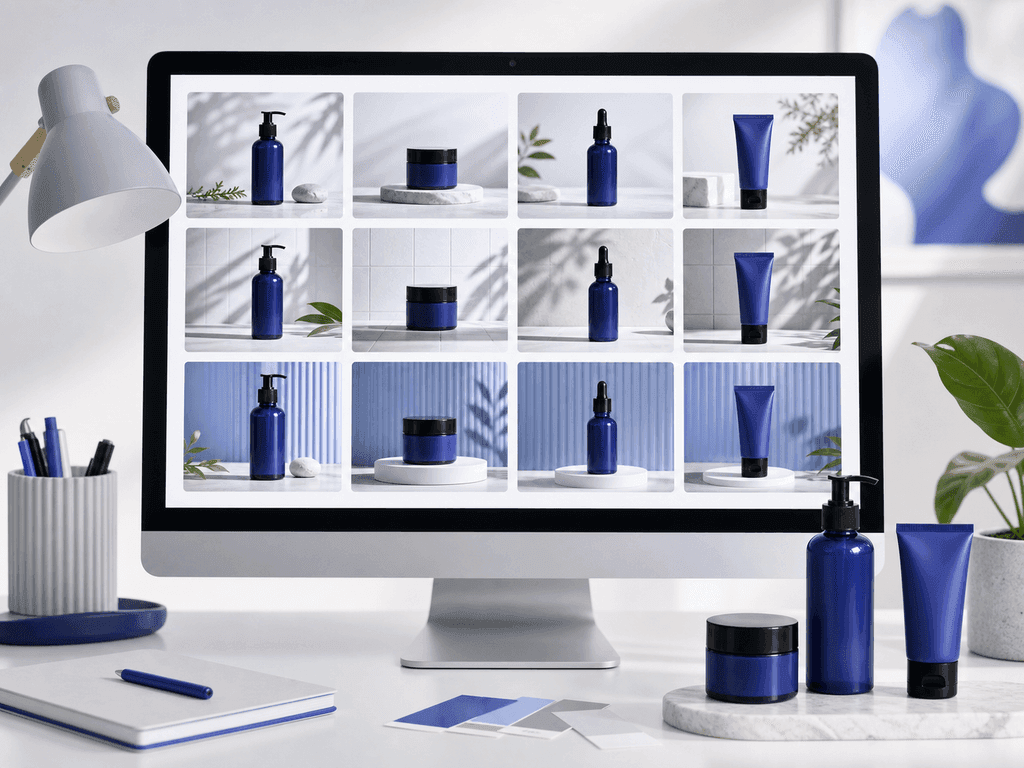
Consistent product photos help shoppers understand your catalog quickly. They create a visual rhythm: same product scale, same lighting logic, same background family, and the same level of polish from one listing to the next. That rhythm lowers doubt. A buyer can compare colors, sizes, and materials without wondering whether one photo was shot in a kitchen, another in a warehouse, and another copied from a supplier.
The cost of inconsistency is usually silent. A messy catalog can make a strong product look like a side project. It can also make shoppers question color accuracy, product quality, and return risk. If the first image looks premium but the second image looks dark and improvised, the buyer has to work harder to trust the listing.
The goal is not to make every image identical. Main images should be clear and comparable. Gallery images should answer questions. Lifestyle images should create desire. Seasonal images should feel fresh. Consistency means each image has a job, and every job follows rules that make the brand feel intentional.
What Makes an Ecommerce Catalog Look Consistent?
A consistent catalog starts with five visual standards. First is product scale: similar items should fill the frame in a similar way, so shoppers can compare them without mental effort. Second is camera angle: front-facing, three-quarter, flat lay, and eye-level images each create different expectations. Pick the angle that fits the category and repeat it where comparison matters.
Third is background system. Use a small set of backgrounds instead of random scenes. For example, white for main images, soft neutral studio for secondary images, and one lifestyle environment for campaign images. Fourth is light direction. Shadows should feel like they come from the same world. If one bottle has a hard shadow to the left and the next has no grounding at all, the grid starts to feel patched together.
Fifth is color discipline. Warm handmade brands can use linen, wood, and soft daylight. Tech brands can use clean surfaces, cool highlights, and precise shadows. Beauty brands can use polished podiums and controlled reflections. The standard should match the promise of the product, not just the founder's favorite aesthetic.
How Do You Build a Product Photo Style System?
Build the system before creating more images. Start with one category, not the entire store. Choose the products that create the most visual pain: bestsellers, ad products, or SKUs with mismatched supplier photos. Then define three image roles for that category.
The first role is the comparison image. This is usually a clean main image where the product is easy to inspect. The second role is the proof image. It shows detail, scale, texture, packaging, or what comes in the box. The third role is the aspiration image. It helps the buyer imagine the product in use or in the life they want.
Once those roles are clear, write simple rules. Example: "Main image uses white or very light background, product centered, no props, full product visible." Another rule might be: "Lifestyle image uses one warm kitchen surface, soft daylight, and no visual clutter." These rules become your visual operating system. They keep future shoots, AI generations, and freelancer edits from drifting into a different brand every week.
Where Do AI Prompts Usually Break Consistency?
Generic AI prompts often produce impressive one-off images and weak catalog systems. The issue is drift. One prompt creates a marble surface with dramatic shadows. The next creates a glossy futuristic room. The third changes the product scale or adds props that do not fit the category. Each image may look interesting alone, but the catalog starts to feel unstable.
Prompt writing also creates hidden labor. Sellers must describe lighting, background, camera angle, product placement, and style every time. Small wording changes can produce large visual changes. That is fine for experimentation, but it is frustrating when the business need is simple: make 40 SKUs look like they belong to one brand.
Consistency needs constraints. It needs reusable visual decisions, not a blank prompt box for every asset. A preset-based workflow solves this by turning your style system into repeatable choices. You choose a look with built-in photography rules, then use short notes only when you need direction such as "warmer background" or "minimal holiday accent." The core system stays stable.
How Can AI Presets Create a Repeatable Workflow?
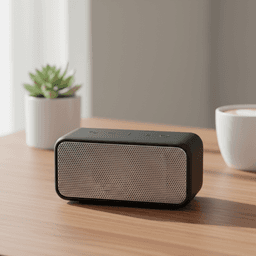
AI presets work best when you treat them like production standards, not novelty filters. Choose one preset family for main images, one for premium gallery images, and one for lifestyle or campaign images. Then keep those choices stable across similar SKUs. A fashion seller might use a studio white preset for main images, a ghost mannequin preset for shape clarity, and an on-model lifestyle preset for aspiration. An electronics seller might use a clean studio preset for comparison and a modern context preset for secondary images.
Pixora's Smart Presets are built for this kind of repeatability. Instead of writing a long prompt about lighting, surface, shadows, and ecommerce composition, you select the preset that matches the job. The preset carries the photography logic. User Notes let you add plain-language direction when needed, but the workflow does not depend on becoming a prompt engineer.
This is the bridge from a messy image folder to a professional storefront. Before, every new product created another styling decision. After, each SKU enters a known system: upload the product photo, pick the image role, generate controlled variants, and keep the results that fit the catalog standard.
What Should You Standardize First?
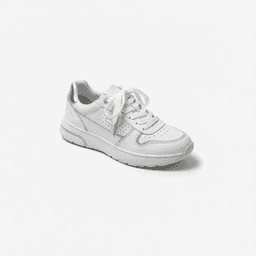
Standardize the main image first because it carries the most comparison pressure. On marketplace grids, search results, and collection pages, shoppers scan quickly. If every product has a different scale and background, comparison slows down. Use a clean background, consistent crop, and visible product edges before experimenting with dramatic scenes.
Next standardize the first three gallery slots. A useful order is main image, detail or scale proof, then lifestyle context. This gives shoppers clarity first, confidence second, and desire third. If you reverse that order, you may create an attractive page that still leaves practical questions unanswered.
Finally standardize seasonal and ad variants. These can be more expressive, but they should still share brand rules. A holiday image should feel like your brand during the holidays, not like a random template. Use seasonal accents, not a completely different visual identity. The best catalog systems leave room for campaigns while protecting the trust built by the core product images.
What Inconsistent Photos Cost You
Shoppers hesitate because the catalog feels smaller and less trustworthy than the products deserve.
Teams waste hours debating backgrounds, crops, and styles for every new SKU.
Supplier photos, phone shots, and ad creative make the storefront feel fragmented.
Seasonal campaigns require expensive reshoots because no repeatable visual system exists.
Catalog Standards to Track
3
Core image roles to define first: comparison, proof, and aspiration.
90%
Potential cost reduction when AI variations replace repeated studio-style production.
$9.90
Pixora Pro pricing compared with traditional studio days that can cost thousands.
Build a Consistent Catalog Without Prompt Work
Use Pixora Smart Presets to turn one product photo into clean main images, premium gallery shots, and lifestyle variants that follow the same visual system.
It means similar products follow the same visual rules for scale, crop, background, lighting, shadow, and gallery order. The photos do not need to be identical, but they should feel like they belong to the same brand.
No. Main images should be highly consistent, but gallery and lifestyle images can vary by role. The important part is using a controlled background system instead of random scenes.
Yes, when the workflow uses repeatable presets and clear review rules. Random prompts can drift, but preset families make it easier to keep backgrounds, lighting, and product roles stable.
Clean White Background presets work well for main images, Accessory Still Life: Aesthetic Display supports premium gallery shots, and lifestyle presets like Tech Lifestyle: Modern Context help create controlled secondary images.
Start with three: a clean comparison style, a detail or proof style, and one lifestyle style. Add seasonal or campaign styles only after the core catalog looks consistent.
They can improve buyer confidence by making products easier to compare and the store easier to trust. The strongest results usually come when consistency is paired with accurate detail shots, clear scale cues, and testing.