How to Photograph Reflective Products Without Losing Buyer Trust
Reflective products punish weak photography fast. One bad hotspot, one warped edge, or one dirty reflection makes a premium watch, perfume bottle, or gadget look cheap. This guide shows how to control reflections, preserve material detail, and create catalog-ready images without a full studio build.
Why Reflective Products Fail Faster Than Most Listings
Reflective products reveal every weakness in your setup. A matte cotton shirt can survive average lighting. A glass serum bottle, polished watch, chrome faucet, or glossy speaker cannot. These materials act like mirrors. They show your room, your phone, your window shape, and every uneven light source around the product. The result is immediate trust loss because buyers read those visual mistakes as quality problems.
This matters more than many sellers expect. Shoppers use reflective surfaces as a proxy for craftsmanship. If the metal looks muddy, they assume the finish is cheap. If the glass edge disappears into the background, they assume the packaging lacks quality. If the label bends because of a warped angle, they start questioning whether the product itself is distorted.
Reflective products also create a pricing problem. Premium items rely on surface quality to justify margin. A luxury fragrance should look crisp, luminous, and controlled. A stainless steel accessory should look precise and intentional. When the photo feels improvised, the price suddenly feels harder to justify, even if the product is excellent in real life.
The commercial risk is not only one lost sale. Weak images reduce click-through, increase hesitation on product pages, and create avoidable returns when the delivered product looks better than the listing did. That is why reflective product photography is not a cosmetic upgrade. It is revenue protection for categories where material finish is part of the value proposition.
What Actually Causes Ugly Reflections?
Most reflection problems come from environment, not camera quality. If your product sits in an uncontrolled room, it will mirror that room back to the viewer. Dark furniture creates dirty bands on chrome. Overhead bulbs create tiny blown-out hotspots. Mixed color temperatures make clear glass look yellow on one side and blue on the other.
The second problem is light size. Small light sources create harsh, distracting highlights. Large diffused light sources create clean gradients that describe shape without overpowering the material. This is the core principle behind professional product photography for watches, jewelry, cosmetics, and gadgets. You are not trying to eliminate reflections. You are trying to replace chaotic reflections with controlled ones.
The third problem is angle discipline. Move the camera a few centimeters and the entire reflection map changes. That is why reflective products feel frustrating to photograph. Every small adjustment affects the look of the whole object. Beginners often keep moving the product randomly, but professionals work the opposite way. They lock the camera, define the main light direction, then adjust reflectors and diffusion one change at a time.
Background choice matters too. Reflective products rarely look best on busy surfaces because every color and texture can bounce into the object. Clean white is safest for compliance-driven images. Controlled black, gray, acrylic, or marble surfaces can work for lifestyle and editorial shots, but only when they support the product instead of competing with it.
The key mindset shift is simple: reflections are not mistakes by default. Reflections are information. Your job is to decide which information the buyer should see.
How to Shoot Glass, Chrome, and Glossy Packaging at Home
You do not need an agency studio to get usable source photos. You need a repeatable mini set. Start by building diffusion first. Place your product near a bright window with indirect light, then add a white curtain, tracing paper, or soft fabric between the light and the product. For harder materials like chrome or glossy plastic, add side panels made from white foam board so the object reflects large clean shapes instead of random room clutter.
For glass products, edge definition is everything. Clear bottles disappear if the background and lighting match too closely. Use a bright background with slightly darker side cards, or a light tent with narrow black cards just outside frame. Those darker edge reflections make the glass shape readable without making the whole image feel dark.
For chrome and polished metal, watch your own reflection. Step back and use zoom or a telephoto lens on your phone if available. This reduces the chance that your body appears as a dark blob in the product. Keep the camera centered and level so labels, bezels, and metal lines do not bend unnaturally.
For glossy packaging, use broad front light plus a subtle fill from above or the side. The goal is a soft highlight that shows curvature while keeping brand text readable. If the label disappears, lower the light intensity or rotate the product a few degrees instead of changing everything at once.
Capture a small shot set every time: a clean front hero, a three-quarter angle, one close-up for material texture, and one optional detail of cap, nozzle, clasp, or screen edge. That structure gives you assets for listings, ads, and social crops without forcing a reshoot.
What Platform Rules Matter Most for Reflective Products?
Reflective products still need to satisfy the same platform rules as any other e-commerce category. Amazon main images generally require a pure white background, full product visibility, and enough resolution for zoom. That combination is harder with reflective products because the same lighting that makes the surface look premium can also make the background drift off white or hide the edge of the object.
The practical solution is to separate your image jobs. Use one workflow for compliance-safe main images and another for creative secondary images. Main images should optimize for clarity, edge definition, and clean background control. Secondary images can introduce more mood, darker reflections, or lifestyle context once the buyer has already understood the product.
Shopify and direct-to-consumer stores add a different pressure: consistency. If one watch is photographed with cool reflections and another with warm reflections, the collection page feels disjointed. If one bottle has sharp edge highlights and another looks flat, customers assume the product line is inconsistent. Reflective categories need a visual system more than a one-off photo win.
Mobile viewing makes this even more important. Fine reflections that look elegant on desktop can turn into noisy glare on a phone screen. Before publishing, zoom out and check the product at thumbnail size. If the core shape, finish, and label are still readable, your image will usually hold up across channels.
In short, platform success with reflective products comes down to three things: clean background control, material readability, and catalog-level consistency. If one of those breaks, performance usually follows.
Before-After-Bridge: From Frustrating Reshoots to a Repeatable System
Before: a small brand selling watches, fragrance, and premium desk accessories had a familiar problem. Individual products looked good in person but unreliable online. Watches showed dark room reflections on the bezel. Perfume bottles lost their edges against white backgrounds. Glossy gadget shots made labels and buttons hard to read. The team kept reshooting products because every category seemed to need a different setup.
After: they rebuilt the process around one disciplined source-capture system. They standardized camera height, used broad diffusion panels, shot each SKU with the same four-angle structure, and separated compliance images from persuasive secondary visuals. Product pages stopped looking like a collection of experiments. The catalog began to feel like one serious brand with a defined visual language.
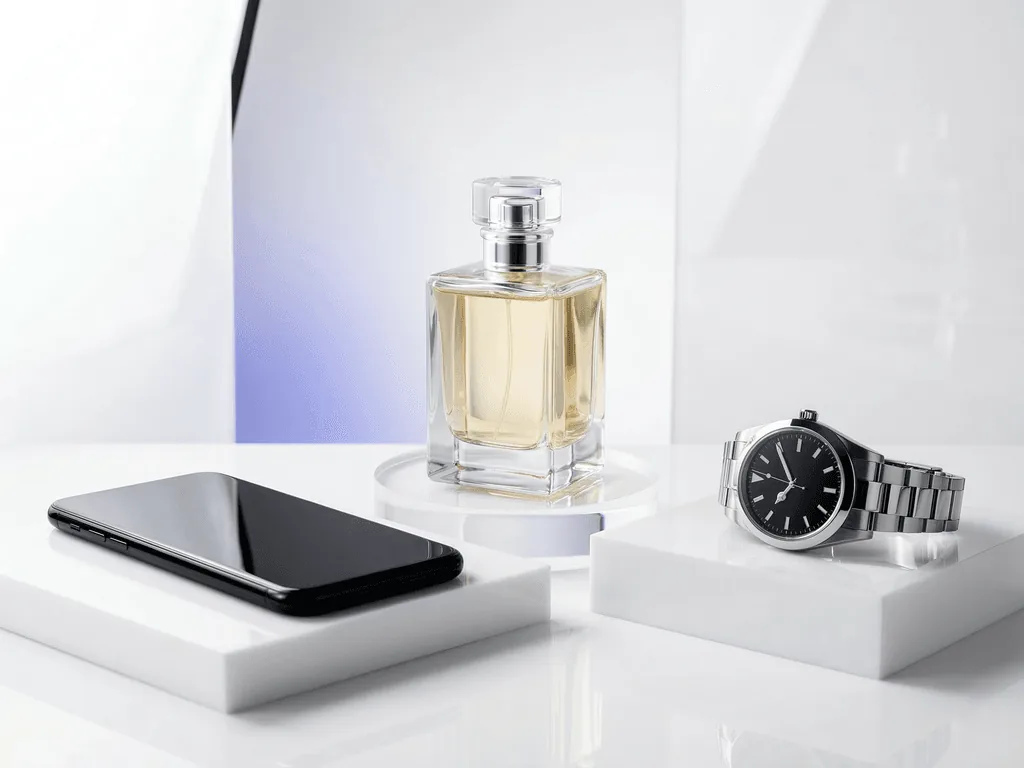
Bridge: the biggest shift was reducing creative guesswork after capture. Instead of manually rebuilding lighting logic for every surface type, they used Pixora presets matched to material intent. Accessory Studio White Background handled clean compliance-first images for watches and metallic accessories. Beauty Aesthetic Still Life Podium created editorial context for glass fragrance and skincare packaging. Electronics Studio White Background kept glossy gadget surfaces crisp without the floating-product look.
The lesson is broader than one tool. Reflective categories improve when you treat photography as a system, not an improvisation. Once the source image is honest and the output style is repeatable, launches get faster, review cycles get shorter, and premium pricing feels more believable.
How Pixora Fits a Reflective-Product Workflow
Reflective products are exactly where generic AI tools start to break. They often flatten the metal, blur the glass edge, or invent reflections that do not match the scene. That is risky because buyers notice surface mistakes even when they cannot explain them technically. A premium product with fake-looking reflections feels low trust immediately.
Pixora is a stronger fit because Smart Presets encode material-aware lighting logic. Start with Accessory Studio White Background when you need marketplace-safe images for jewelry, watches, eyewear, or polished hardware. It is useful for keeping the product isolated, readable, and grounded without asking you to engineer a white-background prompt from scratch.
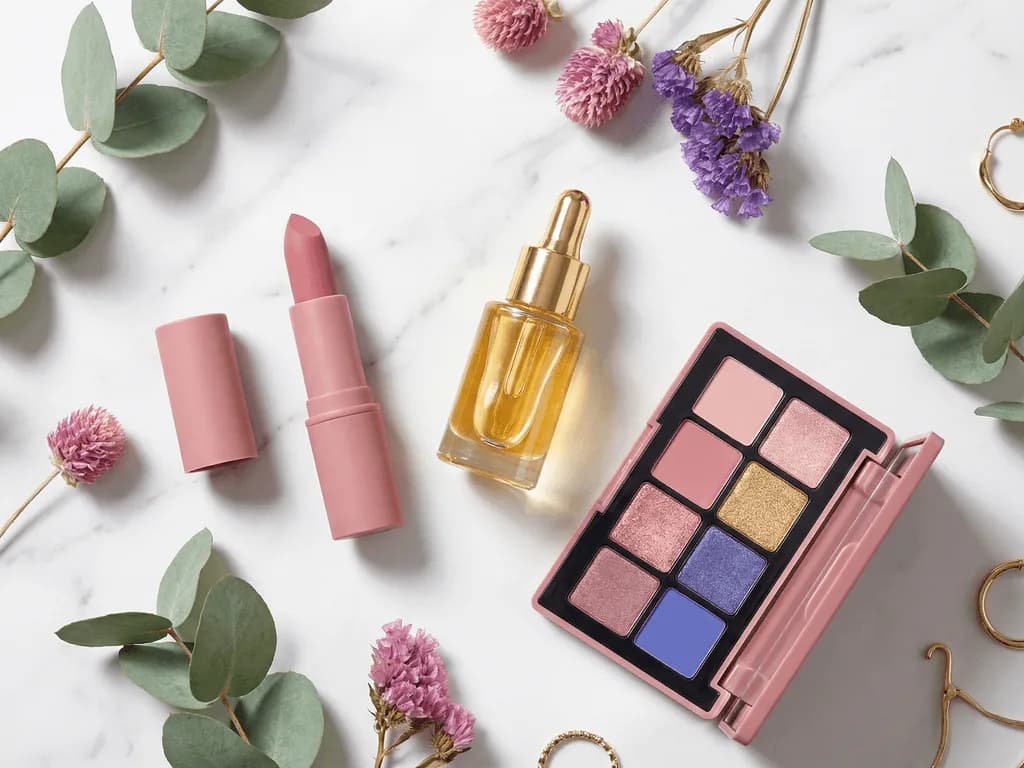
Use Beauty Aesthetic Still Life Podium when the goal is aspiration. Clear fragrance bottles, skincare jars, and glossy cosmetic packaging benefit from controlled editorial context where reflections feel elegant instead of chaotic. Because the preset already understands podium-style beauty composition, you can steer the mood with short user notes rather than long technical instructions.
For glossy electronics and hard-surface gadgets, Electronics Studio White Background helps keep edges sharp and reflections cleaner for direct-response listing work. It is especially useful when you need consistency across multiple SKUs and do not have time to rebuild a studio setup for each one.
The practical advantage is not magic. It is faster execution with fewer bad decisions. You still need a clean source photo. But once you have that, Smart Presets let a small team create reflective-product images that look controlled, premium, and commercially usable in seconds instead of spending hours fighting the same lighting problems again.
Why Reflective Products Are So Easy to Get Wrong
Glass and chrome mirror the room, which makes low-budget setups visible instantly
Small light sources create harsh hotspots that hide labels, bezels, and edge detail
One angle change can distort the whole reflection pattern and force unnecessary reshoots
Catalog inconsistency is obvious when reflective materials are lit differently from SKU to SKU
Reflective Product Photography at a Glance
$500-$1,700+
Typical range for a professional product shoot before revisions and new variations
85%+
Common Amazon frame-fill target for main images where the product must dominate the frame
Seconds
Time Pixora needs to turn one clean source image into a polished output
Test One Difficult SKU Before You Book Another Shoot
Upload a reflective product photo you usually avoid, then compare a clean white-background preset with an editorial preset. The quality gap is easiest to judge on your hardest item.
Use broad diffusion, simple side cards, a stable camera position, and a repeatable four-angle shot list for each SKU.
Source files with cleaner reflections and fewer rescue edits later.
02
Separate Compliance from Storytelling
Create a clean marketplace-safe hero first, then generate secondary images that add mood, context, or premium surface detail.
Listings that satisfy platform rules without sacrificing brand appeal.
03
Review at Thumbnail and Full Zoom
Check whether the product shape reads clearly on mobile and whether labels, surface edges, and finish still hold up at full size.
Higher trust across marketplaces, product pages, and ads.
Pre-Publish Checklist for Reflective Listings
No visible reflections of the photographer, camera, or room clutter
Edges of glass, chrome, or glossy surfaces remain readable against the background
Main image background is truly white where marketplace rules require it
Label text, logos, and important details stay sharp at zoom level
Every SKU follows the same lighting direction and shot structure
At least one secondary image adds context without hiding the product finish
What Improves When Reflections Are Controlled
Premium products feel worth their price because surface quality looks intentional
Teams spend less time on reshoots caused by glare, warped angles, and muddy metal
Catalogs look more unified across glass, metal, and glossy product lines
Marketplace-safe hero images and persuasive secondary images can coexist in one workflow
Small brands can present hard-to-photograph products without a full studio budget
Share this article
Make Hard-to-Photograph Products Look Easy to Buy
Your reflective products should communicate finish, precision, and trust at first glance. Start with one clean source photo, apply the right preset, and publish images that feel premium instead of improvised.
Step back, use a longer focal length if possible, and surround the product with large white diffusion so it reflects clean shapes instead of your body or room. Small camera moves can make a big difference, so lock the camera position first and adjust the environment around it.
For marketplace main images, a controlled white background is safest. For glass, darker side cards can help define the edges. For chrome, the best background is usually the one that gives you clean controlled reflections rather than busy texture.
Clear glass disappears when the edge reflections are too similar to the background. Add slight contrast with side cards or controlled edge lighting so the shape reads clearly without turning the whole image dark.
Yes, but not with one identical visual intent. The workflow stays consistent while the preset changes by job type. Use clean studio-white presets for compliance-first outputs and editorial presets when you want more atmosphere.
Yes. Pixora can improve presentation, lighting logic, and scene quality, but it works best when the original product photo is sharp, honest, and well controlled. A clean source image gives the AI a strong foundation.
A practical baseline is four to six images: one clean hero, one angle variation, one close-up for finish or texture, one contextual lifestyle image, and optional detail shots for packaging, hardware, or controls.