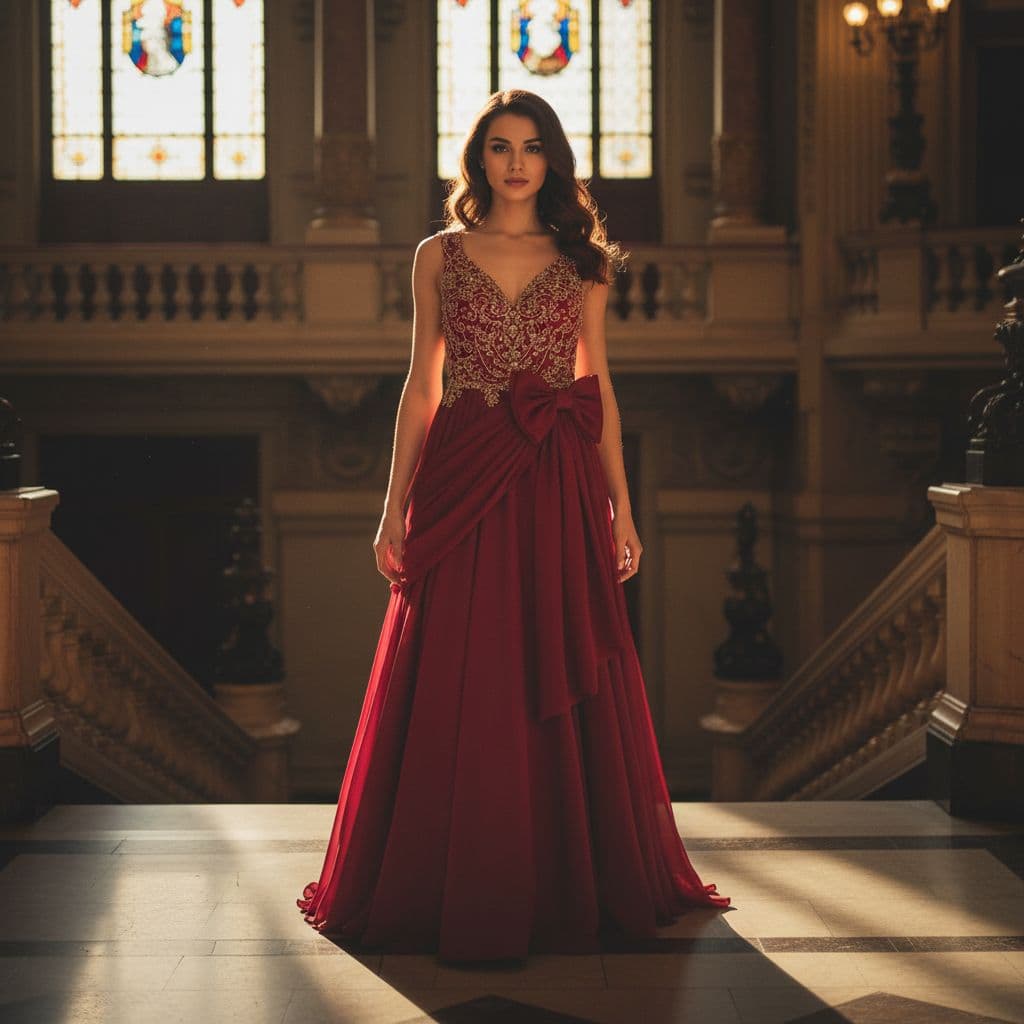
Workflow Overview
Visualize your fashion products worn by a photorealistic AI model in authentic, real-world settings. Perfect for social media content, brand storytelling, and showing how the garment drapes and fits in a natural context.
How to use
1. Select 'Fashion Lifestyle: On-Model Photography'. 2. Upload one or more photos of your clothing from different angles. 3. (Optional) Use 'Additional Notes' to specify model type or location. 4. Generate to see your item worn by a model in a suitable location. 5. Download the lifestyle image for your marketing channels.
Best for
- Instagram and TikTok visuals
- Website hero banners and category headers
- Digital ad campaigns (Facebook/Meta Ads)
- Seasonal lookbooks
- Brand storytelling and blog posts
Tips
- Capture Every Detail: Upload front, back, and detail shots to help the AI accurately represent your garment on the model.
- Direct the Shoot: Use 'Additional Notes' to specify exactly what you want—'Latina model walking in Paris streets', 'athletic male in urban setting', or 'elegant woman at sunset beach'.
- Input Quality: A well-lit, wrinkle-free flat lay gives the best 'worn' result.
- Style Match: The AI is smart; it puts activewear in a gym setting and dresses in a chic setting. Trust the process.
- Vibe Check: Perfect for 'mood' boards where you need to convey a feeling rather than just technical specs.
Gallery
FAQ
Is the model a real person?
Can I choose the model's ethnicity or gender?
Does it work for kids' clothes?
Categories
Requirements
A flat lay or mannequin photo of the garment. No text prompt needed. The AI analyzes the clothing style to choose a matching model and environment automatically.
Watch out for
The model and setting are AI-generated. While highly realistic, minor artifacts in hands or background details can occur. The 'fit' is a simulation; ensure your input photo clearly shows the garment's cut.
