How to Photograph Electronics Without Making Them Look Cheap
Electronics buyers notice every visual mistake. One glare streak across a screen, one fingerprint on a glossy edge, or one muddy shadow under a device can make a premium product feel generic. This guide shows how to capture cleaner source photos, build a repeatable listing workflow, and use AI presets to create studio-ready electronics images faster.
Why Electronics Photos Lose Trust Faster Than Most Product Categories
Electronics are unforgiving because buyers expect precision. A hand-poured candle can survive a little softness and still feel charming. A phone stand, keyboard, speaker, charger, smartwatch, or camera accessory cannot. These products sell on finish, fit, and engineering cues. Shoppers zoom in to inspect edge quality, button alignment, port placement, material transitions, and whether screens, lenses, or metallic surfaces look clean and believable.
That is why weak electronics photography creates immediate commercial damage. If the product is photographed with uneven light, the casing can look scratched even when it is not. If black surfaces turn dull gray, the device starts to feel older and cheaper than it is. If a screen catches hard glare, shoppers assume the product will be hard to read or poorly made. Buyers rarely explain these reactions in technical language, but they still respond to them emotionally.
Electronics also carry a strong professional-risk dynamic. Many buyers compare several similar products in the same price band. When the images look messy, your listing feels less trustworthy before a single feature is evaluated. Every visual flaw becomes a shortcut signal for lower quality, even if the product specs are solid.
The risk is not only lower click-through. Weak images increase hesitation on the product page, create more pre-purchase questions, and make returns more likely because customers feel uncertain about finish, scale, and materials. In electronics, photography is not decoration. It is proof that the product is as polished as the price suggests.
What Makes Electronics Hard to Photograph at Home?
Electronics combine several difficult surfaces in one object. You often have glossy glass, brushed metal, matte plastic, rubberized buttons, reflective screens, and tiny printed details all living on the same device. That means one lighting setup can help one area while hurting another. A bright front light might make the body look clean but create an ugly white block across the display. Side light can reveal the texture of a keyboard or speaker grille, yet exaggerate dust and fingerprints on black plastic.
Fingerprints are one of the biggest problems because electronics are handled constantly. A product that looks spotless in your hand can become visibly greasy the moment strong directional light hits it. The second problem is grounding. Many beginner images make electronics look like they are floating because the shadow underneath is either missing or too harsh. Buyers may not know why the photo feels wrong, but they sense the product has been dropped into the frame instead of carefully photographed.
Scale is another hidden challenge. A small power bank can look toy-like if the camera is too close with a wide phone lens. A monitor arm can look awkward if the camera height fights the product angle. Cables, ports, bezels, and accessory edges all need enough clarity to communicate function without making the image feel cluttered.
Many competitor guides stay general here. They talk about good lighting or using a tripod without explaining the real electronics problem: you are trying to preserve premium material cues while controlling glare, dust, edge definition, and realistic shadows at the same time. That is the job.
How to Shoot Cleaner Electronics Source Photos Without a Full Studio
Start by simplifying the set. Use one table, one neutral surface, and one dominant light source. A bright window with indirect daylight works well if you diffuse it with a thin white curtain, tracing paper, or a lightweight scrim. For electronics, the goal is not dramatic mood first. The goal is controlled shape and clean surfaces. Add a white bounce card on the shadow side to soften contrast, then place a darker card just outside frame if you need more edge definition on silver or black devices.
Clean the product before every sequence. Use a microfiber cloth, compressed air, and a quick check under the exact light you plan to shoot with. Dust that is invisible in room light often becomes painfully obvious on glossy earbuds, screens, and black accessories once the camera sees it. This one habit saves more retouching time than most gear upgrades.
Keep the camera level and step back slightly instead of shooting too close with a wide phone lens. If your phone offers a telephoto lens, use it for smaller products because it reduces distortion and helps the product look more proportional. Lock exposure if possible so the background and body tone do not shift from shot to shot.
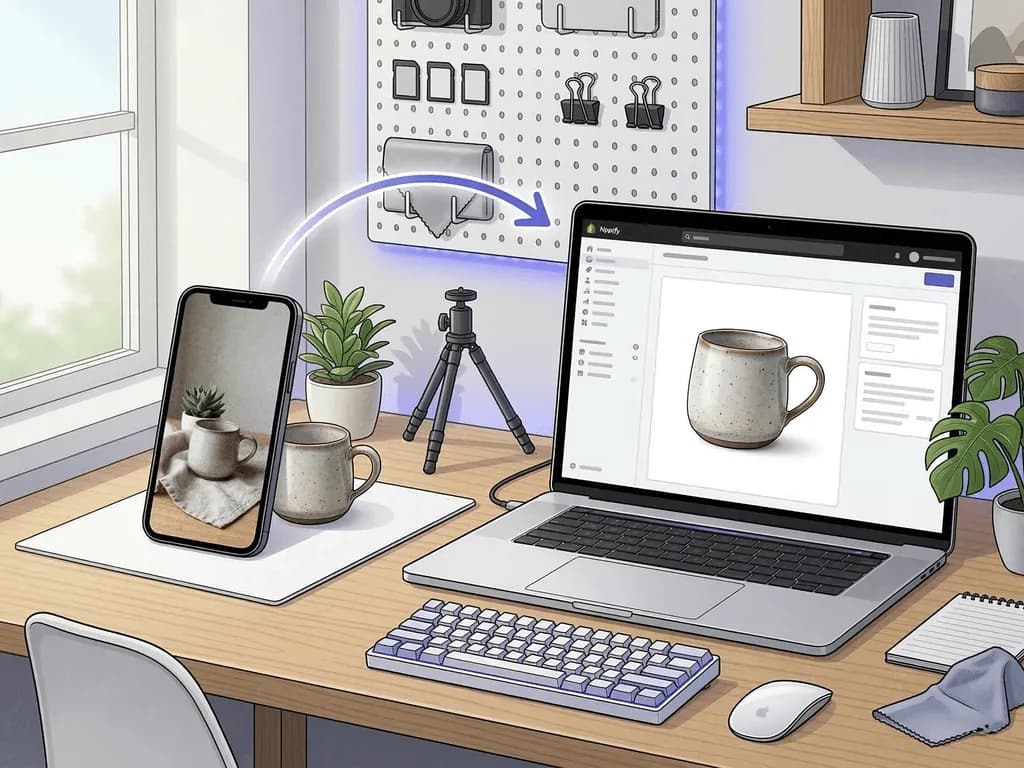
Capture a repeatable set for every SKU: one straight hero, one three-quarter angle, one detail shot of the main feature, and one image that leaves enough negative space for cropping or merchandising. For screens, decide early whether they should be off, show a clean interface, or stay slightly angled to avoid hard reflections. The best source photo is the one that looks calm, sharp, and honest before any editing begins.
What Image Mix Works Best for Electronics Listings?
The strongest electronics listings separate image jobs instead of asking one photo to do everything. Your first image has one responsibility: immediate comprehension. Buyers should understand the product shape, finish, and overall quality in one glance. For marketplaces, that usually means a clean white or tightly controlled neutral background with enough shadow to ground the device naturally.
After the hero image, your gallery should reduce doubt in sequence. Show a second angle that reveals thickness, side profile, or port layout. Add a detail image that proves material quality, such as brushed aluminum texture, key travel, button design, or the finish around a lens or speaker grille. If the product folds, rotates, docks, or opens, one image should make that behavior obvious without relying on copy.
Lifestyle imagery becomes useful only after clarity is established. A desk setup, charging scene, or work-from-home environment can help buyers imagine ownership, but lifestyle should support function rather than hide the product. If the context looks cooler than the device itself, the image is doing brand theater instead of selling.
Consistency matters more in electronics than many founders realize. If one SKU has cool blue lighting, another has warm sunset lighting, and a third is shot from a lower angle, the catalog stops feeling engineered. A practical gallery for most electronics products is four to six images: one hero, one alternate angle, one feature detail, one scale or usage image, and one lifestyle frame. That mix usually answers both rational and emotional buying questions without cluttering the listing.
Before-After-Bridge: From Patchy Gadget Photos to a Catalog That Feels Premium
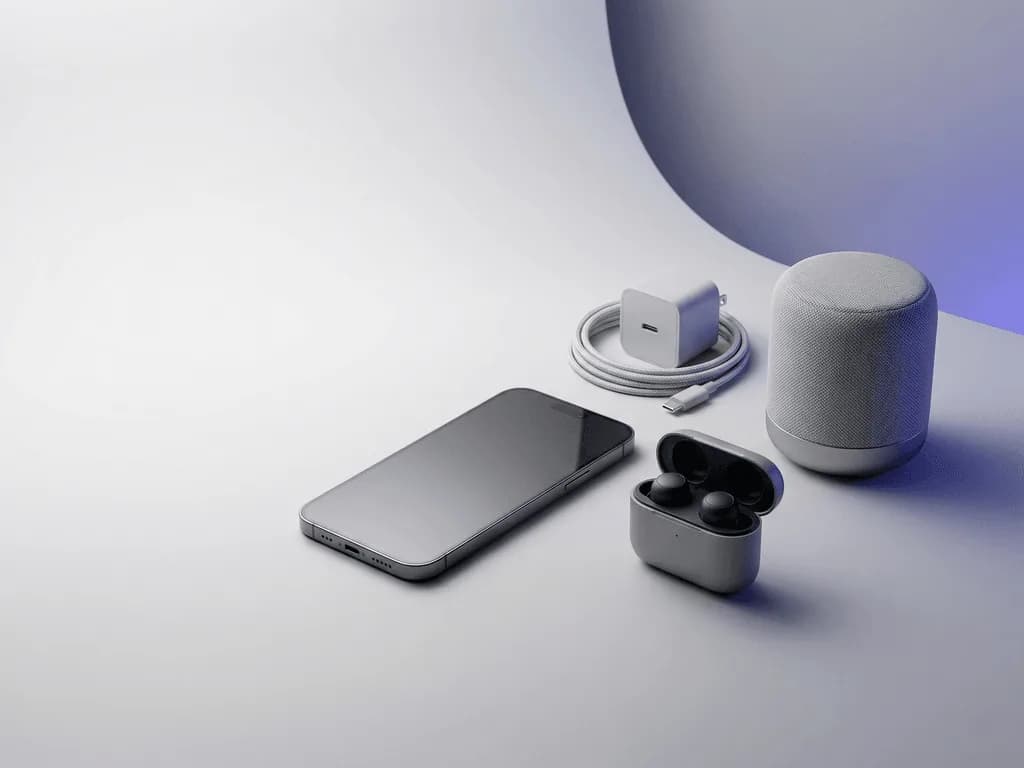
Before: a small accessories brand sold desk chargers, wireless earbuds, and compact speakers with good margins, but the store looked inconsistent. Some products were photographed under kitchen lighting, some on white poster board, and some against improvised backdrops that reflected in every glossy surface. Screens picked up window glare, black plastic looked dusty, and metallic edges shifted from warm to cold across the catalog. The products were fine. The presentation was quietly hurting them.
After: the team rebuilt the workflow around one disciplined capture system. They standardized camera height, used one diffused light direction, cleaned every product under shooting light, and captured the same four-angle base for each SKU. Hero images became easier to compare. Detail shots started proving finish instead of accidentally hiding it. The whole catalog began to feel less like weekly improvisation and more like a real electronics brand.
The bridge was removing post-capture guesswork. Instead of manually retouching every SKU into a different style, the team matched output types to clear image jobs. Tech Studio: Clean White Background handled compliance-safe main images for listings. Tech Lifestyle: Modern Context created supporting visuals for desk setups and everyday use scenes. The same honest source shot could now serve multiple channels without being rebuilt from scratch each time.
That is the broader lesson. Electronics photography improves when you treat it as a repeatable operating system, not a creative rescue mission. Once the source images are controlled and the output choices are structured, launches move faster, review cycles shrink, and premium pricing feels easier to defend.
How Pixora Fits an Electronics Product Photography Workflow
Electronics are exactly where generic AI image tools become risky. They often blur ports, invent reflections that do not match the body shape, soften sharp edges, or make screens and labels look synthetic. That is a problem because buyers notice those mistakes immediately. Hard-surface products do not get much forgiveness. If the finish looks fake, the product looks cheap.
Pixora is a better fit when the workflow is clear. Start with Tech Studio: Clean White Background when you need a marketplace-safe hero image that keeps attention on the device and preserves a grounded, retail-ready look. It is useful for gadgets, accessories, chargers, speakers, and other products that need sharp lines, subtle shadow, and a clean background without writing a complex white-background prompt.
Use Tech Lifestyle: Modern Context once the buyer already understands the product. That preset places the device into a clean, aspirational environment that fits modern work, home, or everyday-use scenes. It is strong for secondary gallery images, paid social creatives, and launch assets where context helps the product feel relevant instead of isolated.
The practical advantage is not that AI replaces capture discipline. It is that one clean source photo can do more revenue work. Upload the product, choose the visual job, add short user notes if needed, and generate. Small teams get a repeatable path to hero images and supporting lifestyle visuals without becoming prompt engineers or rebuilding scenes manually for every SKU.
That is why this topic has Business Potential Score 3 for Pixora. The platform is not a side mention here. It solves one of the core operating problems electronics sellers face: creating premium, consistent visuals fast enough to keep up with launches, variants, and catalog updates.
Why Electronics Listings Break So Easily
Glossy screens and black casings reveal glare, dust, and fingerprints immediately
Wide phone lenses can distort small devices and make them look toy-like
Missing or harsh shadows make gadgets look like they are floating in the frame
Inconsistent lighting across SKUs makes the catalog feel unengineered and lower trust
The Electronics Photo Economics
$500-$1,700+
Typical range for a professional product shoot before revisions and extra variants
$9.90
Pixora Pro monthly price for a workflow that can support repeated launch assets
Seconds
Time needed to turn one clean electronics source image into a polished output
Test Your Hardest Gadget Before Planning Another Shoot
Upload the product that usually causes the most glare or fingerprint cleanup, then compare a clean studio-white output with a lifestyle scene built from the same source image.
For main listing images, a clean white or tightly controlled neutral background is usually the safest choice because it keeps attention on the device and makes shape easier to understand. Supporting images can add context later, but the first image should prioritize clarity.
Use a larger diffused light source, move the product angle slightly instead of changing the whole setup, and step back if your body or phone is reflecting in the screen. Small angle changes usually solve more glare than extra gear.
A practical starting point is four to six images: one hero, one alternate angle, one feature detail, one scale or usage image, and one lifestyle image. Add more only when each photo answers a different buying question.
Black surfaces show fingerprints, dust, and uneven lighting very easily. Clean the product under shooting light, use softer diffusion, and avoid harsh overhead reflections that flatten the finish or exaggerate surface mess.
Yes, if the process starts with a clean, honest source image and the AI is used for structured output jobs instead of random scene invention. The goal is to preserve sharp edges, readable details, and believable shadows while improving speed and consistency.
A strong pairing is Tech Studio: Clean White Background for the main listing image and Tech Lifestyle: Modern Context for supporting gallery and campaign visuals. That combination covers both clarity-first and context-first jobs without prompt writing.