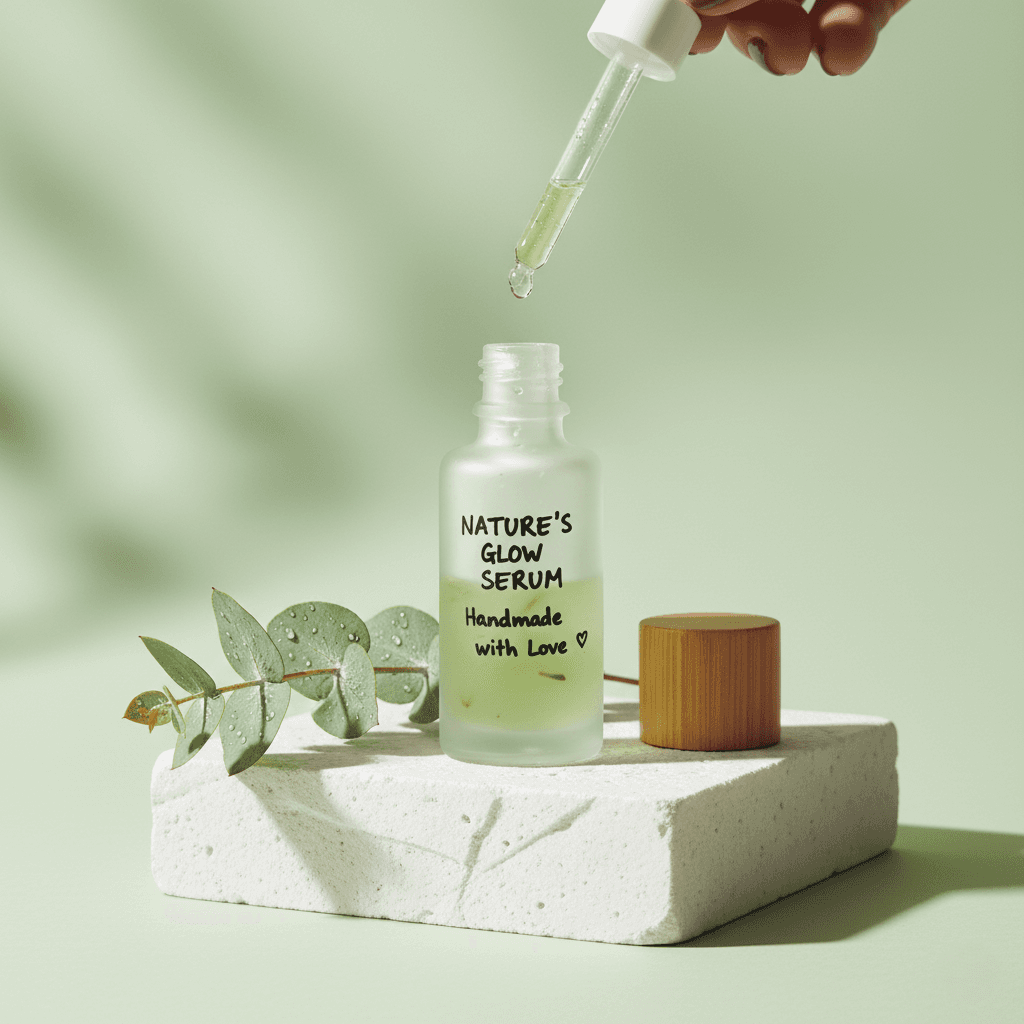
Workflow Overview
Generate an artistic, trendy advertising image. Places the product on styled podiums or amidst props with creative lighting, perfect for social media campaigns.
How to use
1. Select 'Beauty Creative: Aesthetic Still Life'. 2. Upload one or more photos of your beauty product from different angles. 3. (Optional) Use 'Additional Notes' to specify your desired aesthetic or props. 4. Generate to place your product in an artistic, styled setting. 5. Download your social media-ready creative image.
Best for
- Instagram and TikTok marketing posts
- Pinterest beauty boards
- Brand campaign hero visuals
- Seasonal collection launches
- Influencer collaboration content
Tips
- Show All Angles: Upload multiple photos to capture your product's shape, label, and texture accurately.
- Define Your Aesthetic: Use 'Additional Notes' to request specific vibes—'tropical with monstera leaves', 'winter wonderland with ice textures', or 'soft pink feminine'.
- Packaging Style: Natural/organic products get botanical settings; sleek packaging gets modern geometric podiums.
- Color Harmony: The AI matches environment colors to your product's palette.
- Lighting: Expect soft, directional lighting with aesthetic shadow play.
Gallery
FAQ
Can I choose the background style?
Is this suitable for e-commerce listings?
Will it add props to my image?
Categories
Requirements
A clear photo of your beauty product is required. No text prompt needed. The AI creates a complementary aesthetic environment automatically.
Watch out for
The AI selects colors and props based on the product aesthetic. Results vary between organic/natural and modern/minimal styles depending on your product's look.
