Need a Better Flair AI Alternative for E-Commerce Growth?
If your product photo workflow feels slower each month, the issue is usually not creativity. It is production reliability. Inconsistent outputs, extra revisions, and delayed launches quietly reduce revenue. This guide shows how to evaluate a Flair AI alternative using metrics that matter to operators: first-pass quality, compliance readiness, and time to publish.
Why Do Teams Start Searching for a Flair AI Alternative?
Most teams do not search for alternatives because they dislike their current tool. They search because output operations stop scaling with catalog growth. At low volume, a flexible canvas workflow can feel powerful. At high volume, that same flexibility can create decision fatigue, review loops, and unpredictable launch timelines. The hidden cost is not only time. It is lost momentum during critical sales windows.
This pressure is strongest for small and midsize brands. They cannot absorb repeated creative rework or long approval cycles. Every delayed listing means delayed cash flow. Every inconsistent image weakens trust before the customer even reads your product description. If visual production becomes unstable, your team spends energy fixing avoidable problems instead of shipping campaigns.
A strong alternative should reduce operational variance, not just generate attractive samples. You need consistent outputs across categories, repeatable quality standards, and a workflow that non-designers can run under deadline pressure. This is the practical reason flair ai alternative is a high intent query. Buyers are not browsing. They are trying to remove a growth bottleneck.
Treat this decision as an operations upgrade, not a software swap. The right platform gives you predictable image throughput, clearer team ownership, and faster publication rhythm. Once those are in place, visuals stop being a weekly stress source and become a stable growth input.
What Do Most Comparison Pages Miss About Real E-Commerce Work?
Many comparison posts focus on plan prices and feature checklists. That is useful, but incomplete. Two tools with similar pricing can produce very different business outcomes once you run a real SKU batch. The missing layer is operational performance under pressure.
First gap: repeatability across categories. A workflow may look excellent for beauty still life content and struggle with reflective accessories, textured fabrics, or glossy electronics. If a comparison does not include difficult products, it does not show true reliability.
Second gap: compliance architecture. Main listing images and creative gallery images should follow different rules. Teams that mix both goals in one workflow usually get sterile marketing images or risky listing assets. Strong alternatives make this split explicit so you can protect ranking-safe outputs while still producing conversion-focused lifestyle creatives.
Third gap: team usability. A tool can work for one expert and fail for a mixed team. If consistent quality requires constant manual corrections, you are paying hidden labor costs regardless of subscription price. In fast e-commerce cycles, easy adoption and stable output often matter more than advanced controls that only one person understands.
The best comparison question is simple: does this system reduce rework while protecting brand consistency and launch speed? If the answer is yes, it is a true alternative. If the answer is uncertain, you are likely buying more complexity.
How Should You Evaluate a Flair AI Alternative in Practice?
Run a controlled pilot with the same 10 products across all candidate tools. Include at least one reflective item, one textured product, and one standard SKU. Hard products reveal workflow weaknesses quickly. Then score each platform with the same acceptance criteria to avoid opinion-driven decisions.
Track five metrics. First-pass acceptance rate shows how often outputs are publish-ready without extra work. Minutes per approved asset captures real throughput. Compliance pass rate protects marketplace risk on main images. Catalog consistency score tracks whether your storefront still looks like one brand. Launch readiness by deadline reveals whether your image system supports business rhythm.
Convert those metrics into cost. True cost per image equals software spend plus production labor plus revision labor plus compliance rework plus delay impact. Most teams track only plan pricing, then wonder why content operations still feel expensive. Delay impact is often the largest hidden line item, especially during seasonal campaigns.
Set threshold targets before testing. For example, first-pass acceptance above 70 percent, average time under two minutes per approved image, and near-zero compliance failures for main listings. With clear thresholds, final decisions become objective and faster.
A good alternative does not need to win every feature category. It needs to win the operating model. If your team can produce reliable quality with less decision fatigue, you have a system that can scale.
Before and After: From Creative Friction to Predictable Launches
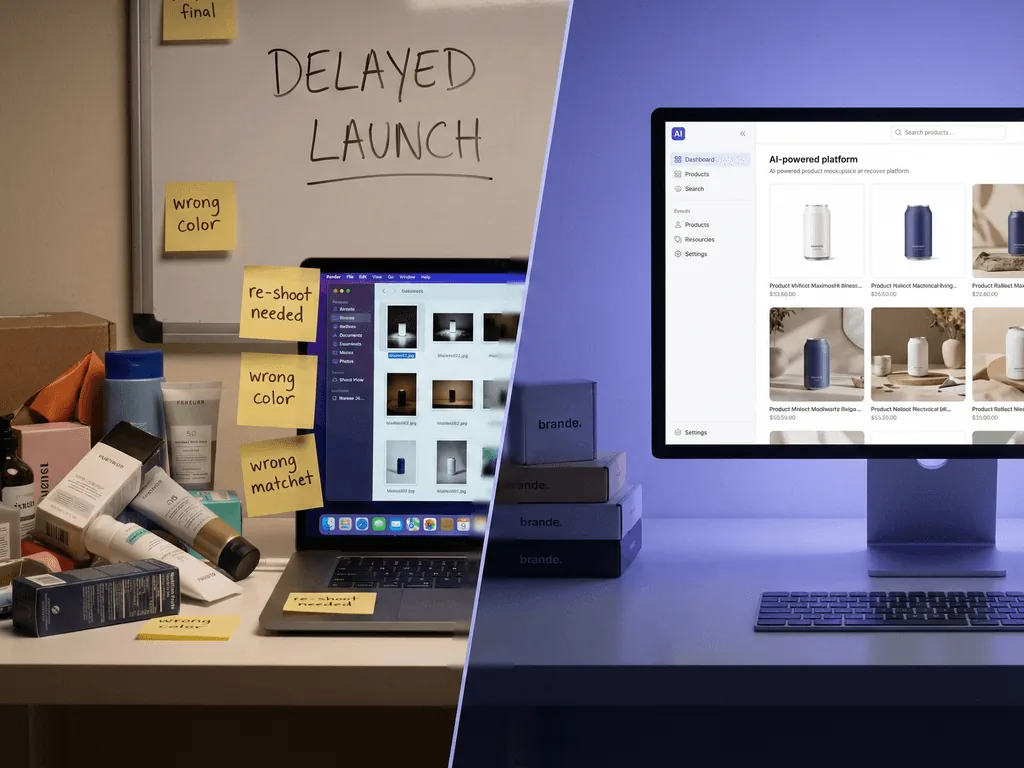
Before: a founder-led store manages weekly launches with a flexible scene-building workflow. Early results look promising, but volume exposes cracks. Different teammates produce different visual styles. Review meetings get longer. Last-minute edits increase because listing-safe and campaign-safe requirements are mixed. Launch dates begin to slip, and fatigue spreads across marketing and operations.
After: the same team moves to a preset-led production model with clear lanes. Lane one is compliance-safe main images. Lane two is lifestyle storytelling for gallery and ad use. Each lane has approved output standards and a short checklist. Team members stop rebuilding style logic from scratch for every SKU.
Bridge: this change is not about removing creativity. It is about moving repeated decisions into reusable standards. Once baseline quality becomes predictable, creative energy shifts to campaign messaging and offer strategy. The team ships faster because debates decrease and approval criteria are shared.
Business impact follows quickly. Launch reliability improves. Catalog coherence strengthens buyer trust. Performance testing gets cleaner because visual quality is stable across variants. Most importantly, the team regains time and confidence. When production stress drops, growth work gets prioritized again.
This is the transformation many teams are actually buying when they search for a Flair AI alternative. They want fewer surprises, fewer re-edits, and a workflow that supports consistent execution at scale.
Where Pixora Fits if You Need Speed Without Prompt Overhead
Pixora is designed for teams that want predictable outputs without writing technical prompts for every image. Smart Presets encode category-specific photography logic, so teams choose a validated visual direction instead of manually reconstructing one each time. This lowers training overhead and improves consistency across contributors.
For main listing assets, teams can start with compliance-safe studio styles such as Fashion E-commerce Studio: Clean White Background or Accessory Studio: Clean White Background. For secondary gallery and campaign content, they can switch to storytelling styles such as Accessory Still Life: Aesthetic Display or Beauty Creative: Aesthetic Still Life. This two-lane flow protects listings while keeping creative flexibility.
This is not an all-or-nothing claim. Tools like Pixora, canvas-heavy editors, and manual workflows can all work depending on team maturity. The key decision is operational fit. If your priority is faster production with stable outputs for non-designer teams, preset-led workflows usually offer stronger day-to-day performance.
Pixora also aligns with practical economics. The Pro plan starts at 9.90 dollars per month with 2000 monthly credits, which can be materially cheaper than repeated studio cycles or high-rework internal workflows. Combined with quicker approvals, this can reduce both direct and indirect image costs over time.
The simplest way to validate fit is side-by-side testing on your own catalog. If your team reaches higher first-pass quality with less rework, you have the right operational model.
How to Make the Final Decision in One Working Session
Start with one page of non-negotiables. Include channel requirements, weekly output volume, acceptable turnaround time, and who will own quality standards. This keeps evaluation tied to business reality instead of feature hype.
Next, run a live pilot with real products and real deadlines. Do not use only easy hero SKUs. Include at least one problem product from each major category. Score outcomes against the same checklist for every tool: product fidelity, shadow realism, label clarity, compliance safety, and speed to approval.
Then apply weighted scoring. Prioritize consistency and launch speed first, compliance reliability second, team learning overhead third, and subscription cost as a tie-breaker. Low monthly cost with high rework is expensive in practice.
Assign ownership before rollout. One person should maintain approved preset stacks by channel and category. One person should monitor weekly KPIs such as first-pass acceptance, revision count, and on-time launch rate. Without ownership, quality drifts regardless of platform quality.
Finally, commit to a two-week implementation checkpoint. If first-pass acceptance and launch readiness improve, lock the workflow and document it. If not, adjust quickly. The goal is not to find a perfect tool. The goal is a dependable visual engine that helps your team ship confidently every week.
Signals Your Current Workflow Is Costing You Revenue
You regenerate images repeatedly because teams cannot maintain one visual standard.
Main listing assets need manual fixes to pass marketplace requirements.
Launch dates slip because review and revision cycles are too long.
Your catalog looks inconsistent across categories, reducing buyer confidence.
Decision Metrics That Protect Growth
70%+
Recommended first-pass acceptance target for scalable image operations
< 2 min
Healthy benchmark for time to approved output per listing image
$9.90/mo
Pixora Pro entry plan for 2,000 monthly credits
Run a Side-by-Side Test on One SKU Batch
Generate compliance-safe main images and lifestyle variants with Pixora, then compare first-pass quality and total production time against your current tool.
Set numeric goals for first-pass acceptance, time per approved image, and compliance pass rate before testing tools.
Your decision is based on outcomes, not feature claims.
02
Test the Same Product Set
Use identical SKUs and deadlines across tools, including difficult reflective and textured products.
You expose reliability gaps quickly and fairly.
03
Standardize the Winning Workflow
Document approved presets by channel and assign owners for quality standards and weekly KPI reviews.
Image production stays stable as catalog volume grows.
Alternative Evaluation Checklist
Can non-designers produce consistent output without writing complex prompts?
Does the workflow preserve product shape, material feel, and label clarity on first pass?
Can your team separate listing-safe outputs from creative campaign outputs?
Does quality stay stable when processing 50 or more images per week?
Are quality standards easy to document and repeat across categories?
What Improves with the Right Alternative
More predictable launches because revision loops shrink.
Stronger catalog consistency that reinforces brand trust.
Lower compliance risk and fewer last-minute listing fixes.
Faster creative testing due to stable baseline quality.
Better team focus on growth work instead of repetitive re-edits.
Share this article
Ready to Replace Rework with a Predictable Image System?
If your current workflow is slowing launches, test Pixora on your next product batch and measure the difference in consistency, speed, and compliance readiness.
Teams should evaluate alternatives when launch schedules slip, quality varies across categories, or compliance rework becomes a recurring cost.
No. Compare true cost per approved image by including labor time, revision rounds, compliance fixes, and launch delay impact.
Run the same 10-SKU pilot in both tools, track first-pass acceptance, time to approval, compliance pass rate, and catalog consistency.
This topic is Business Potential Score 3 because users searching for a Flair AI alternative usually need a direct workflow replacement where Pixora Smart Presets solve the core operational pain.
Start with one compliance-safe studio preset for main listings and one lifestyle preset for secondary visuals so you can evaluate both safety and storytelling.
A two-week pilot with live launch products is typically enough to validate speed, quality consistency, and compliance readiness.