No Prompt Product Mockup Tool: A Faster Way to Create Store-Ready Images
A no prompt product mockup tool should remove the blank-canvas problem, not replace it with another complicated editor. If every launch forces you to invent lighting, backgrounds, crops, and marketplace rules from scratch, product photos become a hidden tax on growth. This guide shows how to use preset-based mockups to move from raw product shots to professional visuals without learning prompt engineering.
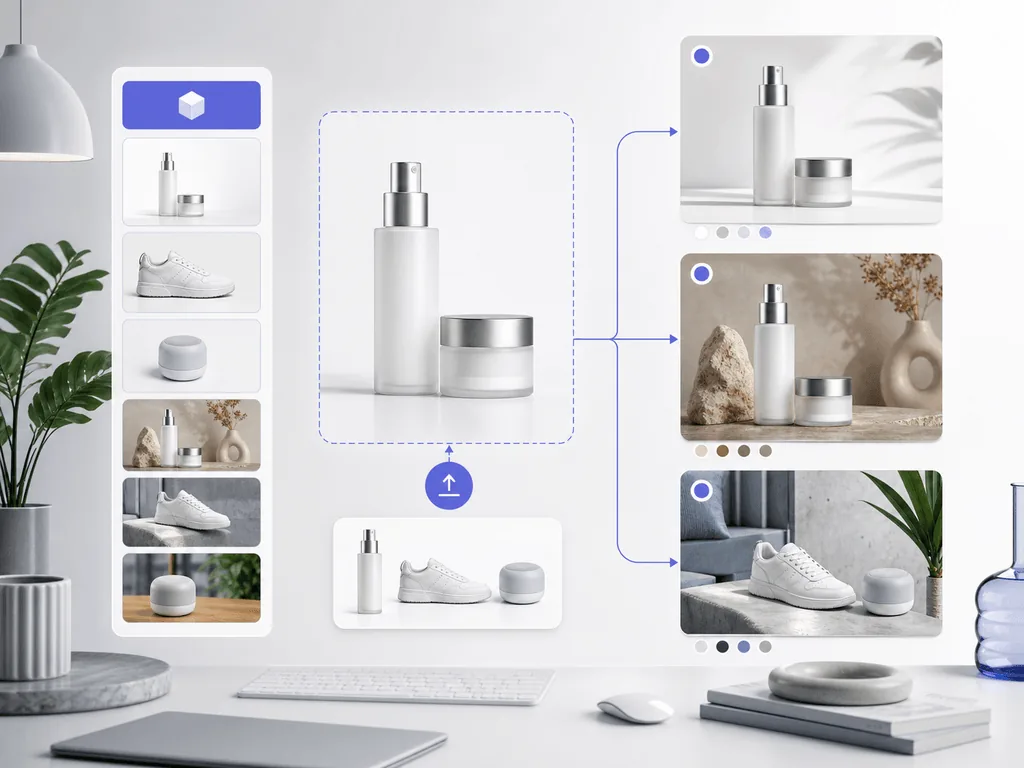
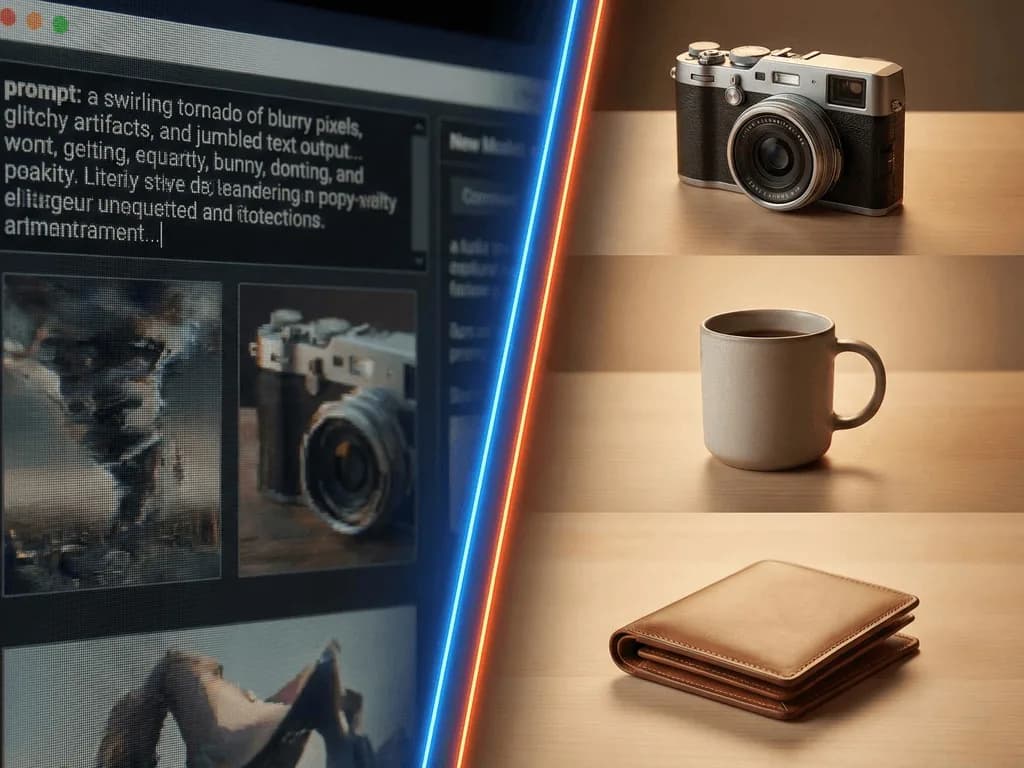
A no prompt product mockup tool creates ecommerce visuals from product photos without asking you to write detailed text instructions. Instead of typing camera lenses, lighting moods, prop lists, and background descriptions, you choose a prepared visual direction such as clean studio, lifestyle tabletop, white background, or modern tech context. The tool handles the technical decisions behind the scene.
That distinction matters because sellers are not usually blocked by creativity. They are blocked by time, confidence, and consistency. A founder with 40 SKUs does not need a new hobby in prompt writing. They need a repeatable way to make every product look credible enough for Amazon, Shopify, Etsy, ads, and social media.
The best workflow starts with a simple question: what job does this image need to do? A main listing image needs clarity and compliance. A gallery image needs context. A social image needs scroll-stopping texture and mood. Once the job is clear, a preset can make the right choices faster than a blank prompt box.
Why do prompts slow ecommerce teams down?
Prompts feel flexible, but flexibility becomes friction when you need commercial output. One phrase can change the entire scene. A request for "premium studio lighting" might produce dramatic shadows on one product and flat lighting on the next. A prompt that works for a black watch may fail on a white skincare bottle because the material, edge contrast, and reflection behavior are different.
That randomness creates professional risk. If your catalog looks like it came from five different photo shoots, shoppers notice. They may not say "the lighting ratio is inconsistent," but they feel the brand is less established. In ecommerce, that feeling can show up as lower click-through, weaker trust, and more hesitation at checkout.
A preset workflow reduces that risk by fixing the important creative rules before generation begins. The seller still chooses the image strategy, but the preset carries the photography logic: background type, lighting direction, product grounding, composition, and platform fit. That is why promptless tools are especially useful for small teams. They protect time and brand consistency at the same time.
How should you choose the right mockup style?
Choose the mockup style by funnel stage, not personal taste. For marketplace search results, prioritize simple studio or white-background images because shoppers need to identify the product quickly. For product detail pages, add lifestyle and still-life images that answer practical questions: size, texture, use context, and brand feel. For ads and social posts, use stronger visual contrast so the product earns attention in a crowded feed.
A good three-image set often beats one overworked hero shot. Start with a clean image that proves what the product is. Add one contextual image that shows where it belongs. Finish with one detail or campaign image that creates desire. This gives shoppers both confidence and aspiration: they understand the item, then they can picture it in their life.
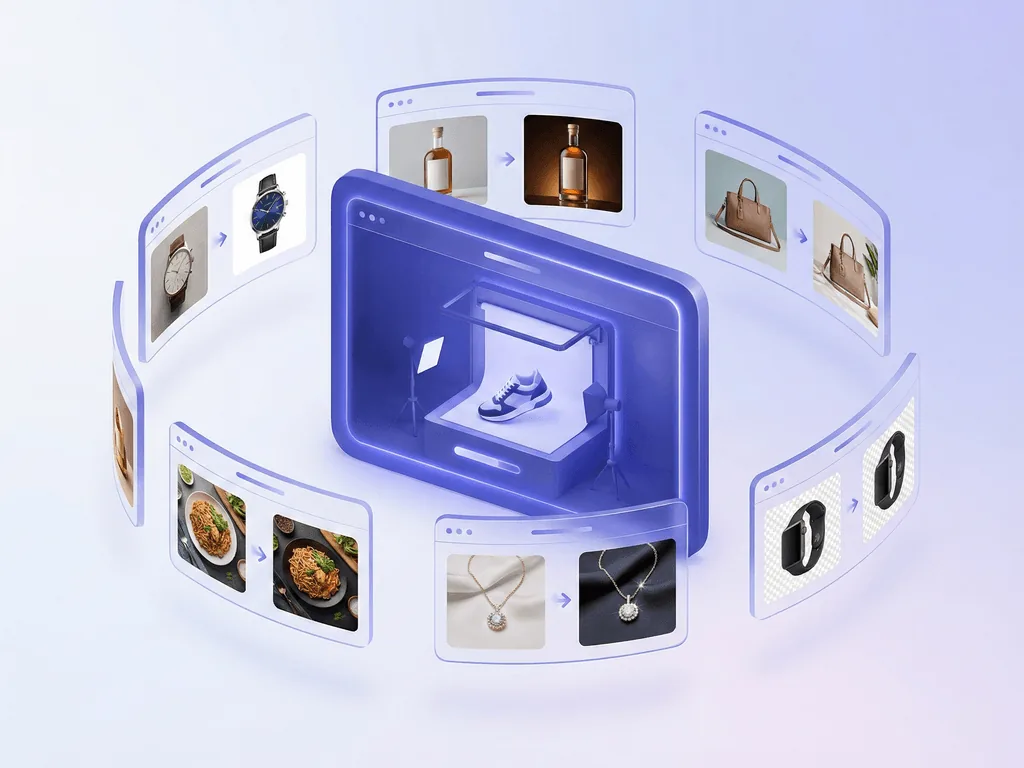
Pixora's Smart Presets fit this decision process because they are organized around real product photography jobs. Fashion sellers can start with Fashion E-commerce Studio for clean catalog images. Beauty brands can use Beauty Creative: Aesthetic Still Life for premium texture and shelf appeal. Electronics sellers can move from Tech Studio to Tech Lifestyle when they need a clean main image plus a modern use-context shot.
What should your source photo look like?
Promptless tools work best when the input photo gives the AI a clean product to preserve. You do not need a studio, but you do need a usable source. Place the product in steady light, keep the whole item visible, avoid heavy shadows across labels, and shoot at the angle you want the final image to respect. A phone photo near a window is often enough if the product edges are clear.
The goal is not to make the source photo beautiful. The goal is to make it informative. Labels should be readable, corners should not be cropped, and shiny items should not reflect a cluttered room. If the product is transparent, reflective, or unusually shaped, take one extra straight-on image and one angled image. This gives you more options when selecting presets.
Here is the useful mental shift: the raw photo is the product scan, not the final ad. The preset becomes the studio. That lets you stop losing hours to DIY backdrops and still keep your actual product as the center of the image.
How does a preset workflow scale across a catalog?
Scaling product mockups is mostly a consistency problem. One image can be handmade. A full catalog needs rules. Decide which preset covers your main image, which preset covers lifestyle context, and which preset covers campaign or seasonal variations. Then apply that structure across every SKU instead of reinventing the visual direction each time.
This is where a no-prompt workflow becomes more than convenience. It becomes an operating system for product visuals. Your clean images share the same background discipline. Your lifestyle images share the same level of polish. Your social assets feel related even when products differ by color, material, or category.
Before, you might spend a weekend trying to make one product page look professional. After a preset workflow is in place, you can launch a new product with a repeatable photo set: clean listing image, lifestyle scene, close-up detail, and seasonal campaign variation. Pixora is the bridge because the seller picks the commercial intent while Smart Presets handle the hard photography decisions in seconds.
Problems a promptless workflow solves
Blank prompt boxes that force you to guess photography language before every image
Catalog inconsistency caused by tiny wording changes between generations
Slow product launches because each SKU needs manual styling decisions
Marketplace anxiety around clean backgrounds, product clarity, and buyer trust
Why sellers switch to presets
0
Prompt engineering skills required to start
90%
Potential cost reduction compared with traditional studio production
$9.90
Monthly Pro plan for ongoing visual creation
Build a mockup set without writing prompts
Choose a Pixora Smart Preset for your main image, one for lifestyle context, and one for campaign variation. Start with the visual job, then let the preset handle the studio details.
The safest first set is a four-image foundation: one clean product image, one lifestyle context image, one detail image, and one promotional image. This structure works because each image has a clear job. The clean image earns the click. The lifestyle image explains fit and use. The detail image reduces uncertainty. The promotional image gives you material for email, ads, and social posts.
Avoid starting with the most dramatic style first. Dramatic mockups can be useful, but they should support a trustworthy product page, not replace it. Shoppers need to see exactly what they are buying before they are ready to enjoy the brand story.
For Pixora users, a practical sequence is simple. Use Fashion E-commerce Studio, Accessory Studio, Beauty Studio, Tech Studio, or the relevant clean-background preset for clarity. Add a category lifestyle preset for context. Then use a still-life or modern-context preset for campaign creative. This keeps the workflow focused and prevents the common mistake of making every image compete for attention.
Three-step promptless mockup workflow
01
Define the image job
Decide whether the image needs to earn a marketplace click, explain product context, show texture, or support a campaign.
You choose the business purpose before choosing the style.
02
Pick the closest Smart Preset
Select a preset that already matches the product category and channel goal, then add short notes only if you need a brand color or seasonal direction.
The preset carries the photography rules without forcing prompt writing.
03
Generate, compare, and standardize
Create a few variations, keep the strongest result, and reuse the same preset structure across similar products.
Your catalog starts to look intentional instead of improvised.
Use this checklist before publishing
The product shape, label, color, and key details still match the original item
The background supports the product instead of distracting from it
The image job is clear: listing, gallery, detail, ad, or social
Similar SKUs use the same preset family for visual consistency
Marketplace main images stay clean, while lifestyle scenes are saved for secondary slots
What changes when mockups become repeatable
New launches stop waiting on studio schedules or complex editing sessions
Small brands can present products with a more established, premium storefront feel
Teams spend less time debating prompts and more time testing which images sell
Seasonal campaigns become easier because the product does not need to be reshot
Every product page gains a clearer visual story from first click to final purchase
Share this article
Create product mockups without prompt writing
Pixora turns raw product photos into clean, lifestyle, and campaign-ready visuals through Smart Presets built for ecommerce speed and consistency.
No. Pixora is built around Smart Presets, so you can choose a product photography style and generate without writing technical prompts. Optional notes are available when you want to guide details like mood, color, or season.
Yes, when the workflow is designed for ecommerce rather than general art generation. Use clean presets for main listing images and lifestyle or still-life presets for secondary images, ads, and social content.
Preset mockups work especially well for fashion, accessories, beauty, electronics, food, furniture, home goods, and packaged products. The key is choosing a preset that matches the product type and the image's selling job.
Yes. Consistency is one of the main advantages of preset workflows. Use the same preset family for similar SKUs so lighting, background discipline, and visual tone stay aligned across the catalog.
Use clean studio or white-background presets for main images because marketplaces need clarity and compliance. Save creative lifestyle mockups for secondary gallery images, A+ content, ads, and social posts.
Generic AI tools usually start with a blank text box. Pixora starts with ecommerce-specific Smart Presets that encode product photography decisions, marketplace awareness, and category context before generation begins.