You've seen the YouTube tutorials. The $50 lightbox, the $200 camera upgrade, the hours learning white balance. But what if the "budget" option is actually costing you more? We break down the true cost of DIY product photography versus AI-powered alternatives.
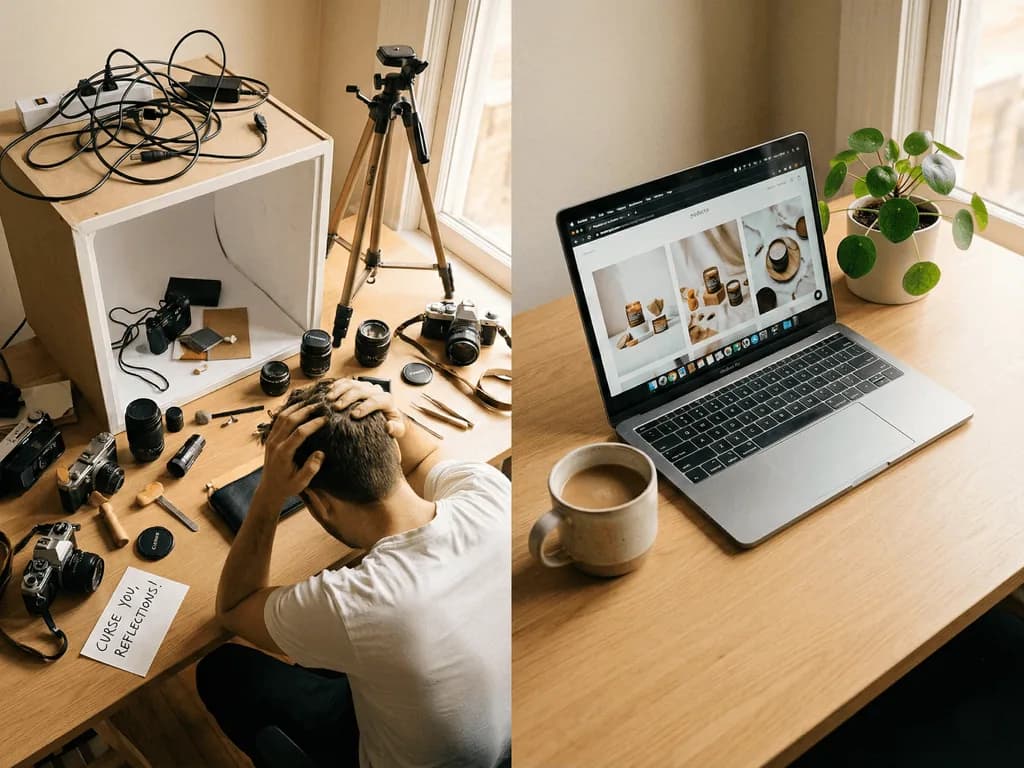
Every e-commerce entrepreneur has the same thought: "I'll just set up a little photo corner." You watch a 10-minute video, order a $79 lightbox from Amazon, and clear space on your desk. Three weeks later, you've upgraded to a $150 softbox kit because the lightbox was too small. Then came the $30 tripod (the cheap one wobbled). Then the color-calibrated backdrop ($45). Then the realization that your phone camera won't cut it for zoom-quality images, so you're eyeing a $400 mirrorless.
This is the DIY photography escalation ladder, and most sellers climb it without realizing the true cost. The equipment isn't the problem. The problem is the invisible expense: your time. Every hour you spend adjusting lights, reshooting for white balance, and watching tutorials on "how to photograph reflective surfaces" is an hour you're not spending on inventory, marketing, or customer service. At a conservative $25/hour opportunity cost, those 20 hours of learning and shooting just added $500 to your "budget" setup.
The Real Cost Breakdown: DIY vs. AI
Let's be honest about the numbers. A functional DIY studio for product photography includes: lightbox or softbox kit ($80-200), tripod ($30-80), backdrop set ($30-60), and optionally a camera upgrade ($300-800). That's $440 to $1,140 in equipment before you take a single photo. But equipment is the easy math.
The harder calculation is time. Learning proper lighting for your specific products: 5-10 hours. Setting up and tearing down for each shoot: 30 minutes per session. Post-processing in Photoshop or free alternatives: 10-30 minutes per image. For a catalog of 50 products, you're looking at 25-40 hours of work. At $25/hour, that's $625-1,000 in time.
Now compare AI product photography. Subscription cost: $9.90/month. Time per image: under 1 minute. No equipment. No learning curve. No Photoshop. For that same 50-product catalog: 1 hour of uploads versus 40 hours of DIY work. The 'expensive' AI option costs $9.90. The 'cheap' DIY option costs $1,065 minimum when you factor in time. The math isn't close.
The Quality Gap Nobody Talks About
Here's the uncomfortable truth DIY tutorials won't tell you: amateur product photos convert at significantly lower rates than professional ones. A study by Etsy found that listings with professional-quality images receive 25-40% more engagement than those with standard photos. For Amazon, the stakes are even higher, where product images directly impact the A9 algorithm ranking.
The DIY ceiling is real. You can learn to take "good" photos with a lightbox, but achieving the consistency and polish of studio photography requires years of practice. The subtle problems, like color temperature shifts between sessions, inconsistent shadows, and the "floating product" effect where items look pasted onto backgrounds, are invisible to the untrained eye but obvious to customers. They may not consciously notice, but they'll feel that something is "off" and move on to a competitor with cleaner imagery.
AI photography tools like Pixora sidestep this entirely. The output isn't limited by your skill level because the "skill" is encoded in Smart Presets, engineered by professional photographers. A first-time user gets the same studio-quality output as someone who's used the tool for a year.
When DIY Still Makes Sense
We're not here to tell you that DIY is always wrong. For certain scenarios, manual photography remains the better choice.
If your products require extreme customization, like a one-of-a-kind art piece that needs a specific prop arrangement telling a story, you might need hands-on control. If you genuinely enjoy photography as a hobby and don't mind the time investment, DIY can be fulfilling. If you're selling fewer than 5 products total and don't plan to scale, the setup cost might not justify the subscription.
But here's the key question: Is your goal to become a better photographer, or to sell more products? If the answer is the latter, every hour spent learning f-stops and color curves is an hour stolen from your actual business. Most e-commerce entrepreneurs aren't in the photography business. They're in the selling business. Outsourcing the visual work to AI isn't a shortcut. It's strategic delegation.
The Scalability Factor
The DIY approach has a linear problem: every new product requires the same time investment. Add 10 products? Add 10 photoshoot sessions. Scale to 100 SKUs? Clear your calendar for a month.
AI photography operates differently. The marginal cost of each additional image is essentially zero in terms of time. Whether you're photographing 5 products or 500, the per-image workflow remains identical: upload, select preset, generate. This is why agencies and high-volume sellers have already made the switch. They aren't paying for convenience. They're paying for leverage.
Consider seasonal campaigns. Black Friday is approaching, and you want to refresh your entire catalog with holiday-themed backgrounds. With DIY, you're re-shooting everything, buying new props, setting up fake snow. With AI, you select a seasonal preset and regenerate your entire library in an afternoon. The flexibility gap is enormous, and it only widens as your catalog grows.
Making the Switch: What to Expect
Transitioning from DIY to AI photography isn't about abandoning your equipment. Many sellers keep their lightbox for quick reference shots or prototype documentation. The shift is about recognizing which tool serves which purpose.
Your DIY setup becomes your capture station: a clean space to quickly photograph new inventory with decent lighting. The photos don't need to be perfect. They need to be clear, well-lit, and properly framed. AI handles the transformation: taking that "good enough" capture and elevating it to marketplace-ready quality with consistent backgrounds, professional lighting simulation, and platform-compliant output.
The mental shift matters too. You stop thinking "I need to become a better photographer" and start thinking "I need to ship more products." The photography bottleneck disappears. Product launches accelerate. And that $300 lightbox? It earned its keep as a capture tool while AI does the heavy lifting on final presentation.
The DIY Photography Trap
Equipment costs escalate as you discover limitations
Hours lost to learning lighting, editing, and retouching
Inconsistent results between photoshoot sessions
Scaling your catalog means scaling your time investment
DIY vs AI: By the Numbers
$440+
Minimum DIY setup cost
40hrs
Average time for 50-product shoot
$9.90
Monthly AI subscription
Skip the Setup
No lightbox, no camera, no editing software. Just upload and generate.
Absolutely. Modern smartphones capture excellent quality. The key is clean, well-lit images with the product clearly visible. AI handles the professional transformation.
AI presets can place your product in contextual environments, like a coffee mug on a kitchen counter or shoes on a city street, without you needing props or location shoots.
Pixora offers specialized presets for fashion, beauty, electronics, food, furniture, jewelry, and more. Each preset is engineered for that category's unique lighting and presentation needs.
Studio presets are built specifically for marketplace compliance. The output meets Amazon's RGB 255,255,255 pure white standard without manual editing.
Keep it for quick captures. Your lightbox becomes a convenient capture station while AI handles the transformation to final, polished output. The equipment wasn't wasted; its role just evolved.
Yes. Pixora Pro costs $9.90/month and includes 2,000 credits, access to all presets, and commercial usage rights. No hidden fees, cancel anytime.