Beauty Products Are Brutal to Photograph. Here's How to Get Them Right.
Glossy packaging that reflects everything. Foundation shades that shift on camera. Textures that flatten into nothing on screen. Beauty product photography punishes small mistakes harder than any other category — and 94% of shoppers judge your brand by the photos alone. This guide breaks down what actually works.
Quick Answer: How to Photograph Beauty Products for Ecommerce
To photograph beauty products for ecommerce, control reflections, protect shade accuracy, show texture clearly, and publish multiple image types: a white-background hero, packaging detail, texture or swatch close-up, lifestyle still life, and application or on-model image where relevant. Cosmetics and skincare products need more than a clean crop because shoppers buy color, texture, finish, and brand feel through the image.
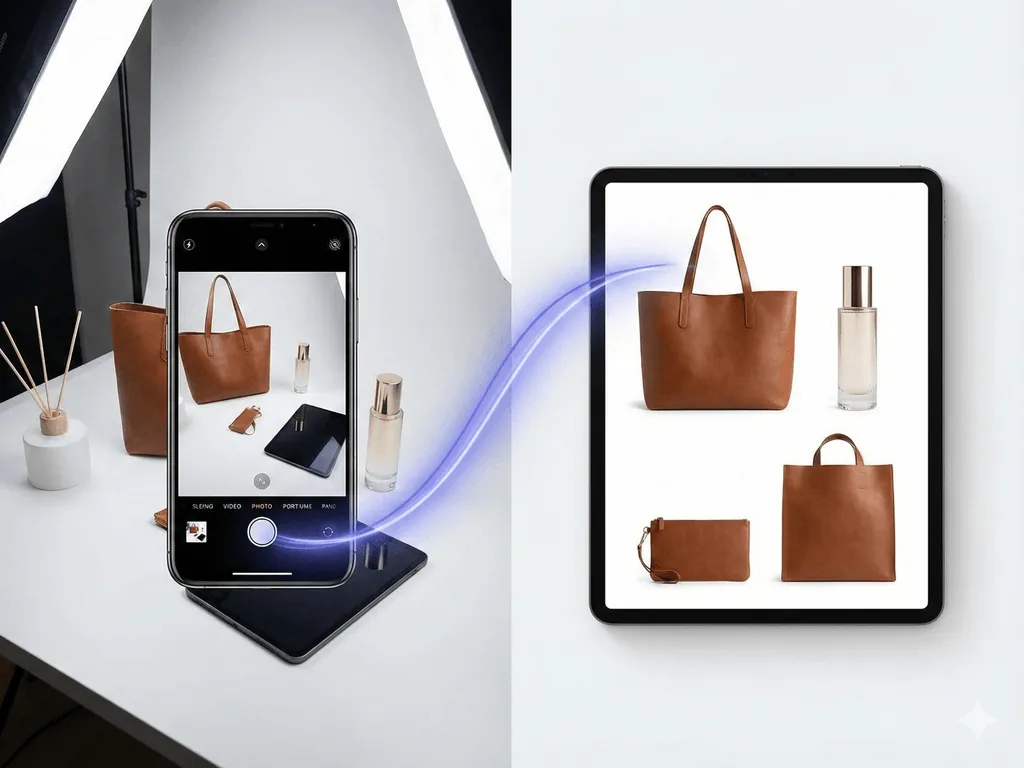
A repeatable AI workflow starts with one sharp, color-accurate source photo. Use a studio white preset for marketplace and catalog pages, a macro swatch preset for texture, a still life preset for brand storytelling, and an on-model application preset for color cosmetics. This gives beauty sellers a full product page image set without booking a new shoot for every SKU.
Why Beauty Photography Is a Different Game
Most product photography follows a simple formula: white background, even lighting, sharp focus. That formula breaks the moment you point a camera at a lipstick.
Beauty products present a unique combination of challenges that no other category shares. Glossy tubes and glass bottles act like tiny mirrors, reflecting your camera, your hands, and every object in the room. Metallic caps create harsh specular highlights that blow out in seconds. Transparent packaging — think serums, perfumes, and liquid foundations — demands precise backlighting to show the product inside without washing out the label.
Then there is color. A lipstick shade called "Dusty Rose" must look exactly like dusty rose on screen. Not salmon. Not mauve. Not pink with a warm cast from your kitchen lights. Color inaccuracy is the single fastest driver of returns in beauty e-commerce. 64% of product returns happen because the item looked different than the website photo — and in beauty, where shade matching is everything, that number climbs even higher.
Texture adds another layer of complexity. A matte powder, a creamy foundation, a glossy lip gloss — each has a surface quality that communicates product feel to the customer. Flatten those textures with bad lighting and your skincare serum looks like water, your eyeshadow palette looks like colored paper, and your customer has zero reason to trust your product over a competitor's.
Professional beauty photography typically costs $25-75 per product for basic e-commerce shots, jumping to $200-1,000+ for editorial and lifestyle content. For an indie brand with 50 SKUs, that is $1,250 to $3,750 just for white background shots — before lifestyle images, seasonal updates, or new product launches.
The Beauty Photography Struggle
Glossy and metallic packaging reflects everything — your camera, your room, your hands
Shade accuracy is critical but nearly impossible without professional color calibration
Textures like matte, glossy, and shimmer flatten under standard lighting setups
Professional beauty shoots cost $25-75 per product, making catalog updates financially painful
What Makes a Beauty Product Photo Actually Convert?
Before you pick up a camera or open any tool, understand what beauty shoppers need to see. The online beauty market is valued at over $22 billion and growing at 20% annually. Competition is fierce. Your photos are your storefront, your sales associate, and your brand ambassador — all in one image.
Color fidelity above everything. In beauty, color is not a nice-to-have — it is the product. A customer buying a foundation, lipstick, or eyeshadow is buying a specific shade. If your photo shows a warm-toned nude lipstick and the customer receives something that leans cool pink, you have lost a customer permanently. Use custom white balance with a gray card, shoot in RAW format, and calibrate your monitor. This single discipline prevents more returns than any other technique.
Texture that communicates feel. Online shoppers cannot swatch on their hand. Your photos must do that job. Side lighting and low-angle illumination create shadows that reveal surface quality — the velvet finish of a matte lipstick, the glow of a dewy foundation, the sparkle in an eyeshadow. Professional photographers call this "communicating tactility" — making the viewer almost feel the product through the screen.
Packaging as brand signal. Your packaging is part of the product experience. Clean, sharp images of the container, the cap, the pump mechanism — these details signal quality. A blurry photo of a luxury serum bottle makes it look like a $5 drugstore product regardless of its actual price point.
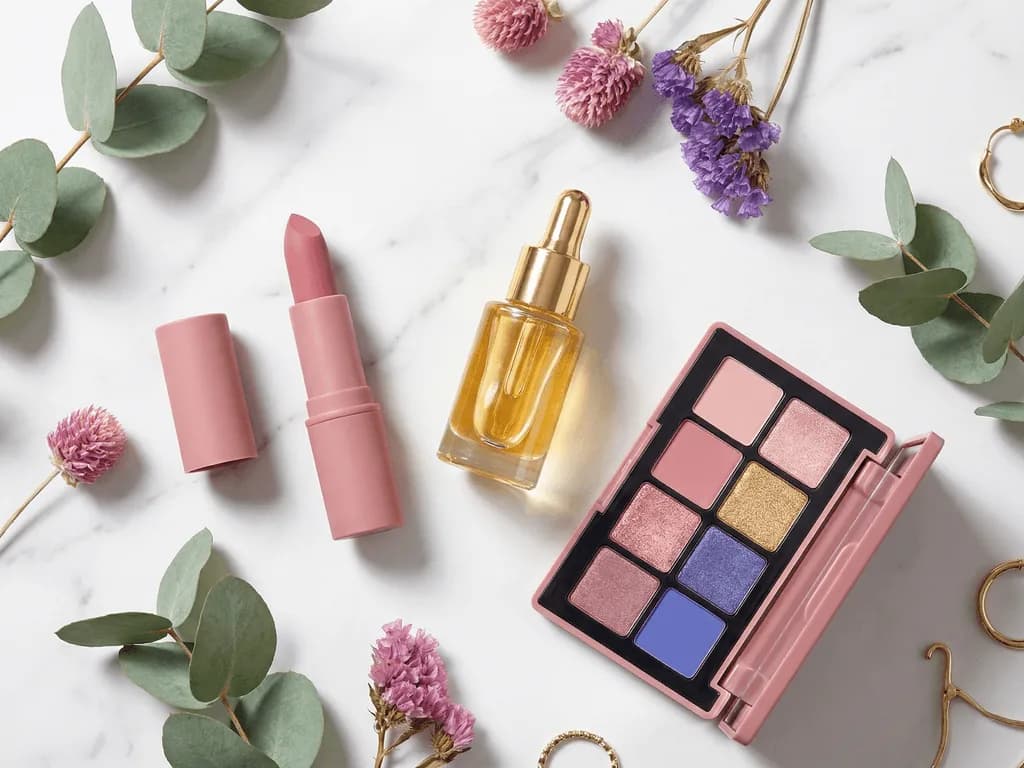
Lifestyle context that creates desire. The hero shot sells the product. The lifestyle image sells the feeling. A moisturizer on white is informative. That same moisturizer on a marble vanity with morning light, next to a linen towel and fresh flowers, sells a morning routine. Beauty shoppers buy aspiration as much as ingredients. Brands that include lifestyle shots see measurably higher engagement and add-to-cart rates.
The beauty and personal care category converts at nearly 5% — one of the highest in all e-commerce. But only for listings with professional-quality imagery. Subpar photos in this category are not just a missed opportunity — they are an active repellent.
Beauty E-Commerce by the Numbers
$22B+
Online beauty market size, growing 20% annually
4.9%
Average conversion rate for beauty and personal care
64%
Of returns happen because product looked different than the photo
How to Photograph Beauty Products with What You Have
You do not need a $5,000 studio setup. A modern smartphone, controlled lighting, and a few inexpensive tools can produce a source image sharp enough for AI to do the heavy lifting.
Lighting is everything. Position your product near a large window with indirect light — north-facing windows are ideal because they provide consistent, diffused illumination without harsh sun angles. Direct sunlight creates specular hotspots that blow out glossy surfaces instantly. Hang a white bedsheet or tracing paper over the window to diffuse further. Place a white foam board on the opposite side to bounce fill light into the shadows.
For metallic and glossy products, add a second diffusion layer. Wrap a large piece of white paper or fabric into a semi-circle around the product, creating a "light tent" effect. This eliminates hard reflections by surrounding the product with soft, even light from every angle.
Background and surface. Use pure white for marketplace listings and neutral surfaces for lifestyle shots. Avoid textured backgrounds that compete with product detail. A clean sheet of white acrylic or poster board works as a seamless sweep. For lifestyle shots, marble tiles, linen fabric, or wooden boards create context without distraction.
Camera settings. On a smartphone, lock focus by tapping and holding the product. Use the 2x or 3x telephoto lens if available — it reduces edge distortion that makes round bottles look oval. Turn off flash entirely. Enable grid lines and center your product. For transparent products like serums and perfumes, place a light source behind the product and slightly to one side to illuminate the liquid while keeping the label readable.
The color accuracy trick. Place a white piece of paper in your first test shot. In post-processing, use the white balance eyedropper tool on that paper to set a neutral reference. This single step prevents the warm-orange or cool-blue color casts that ruin shade accuracy.
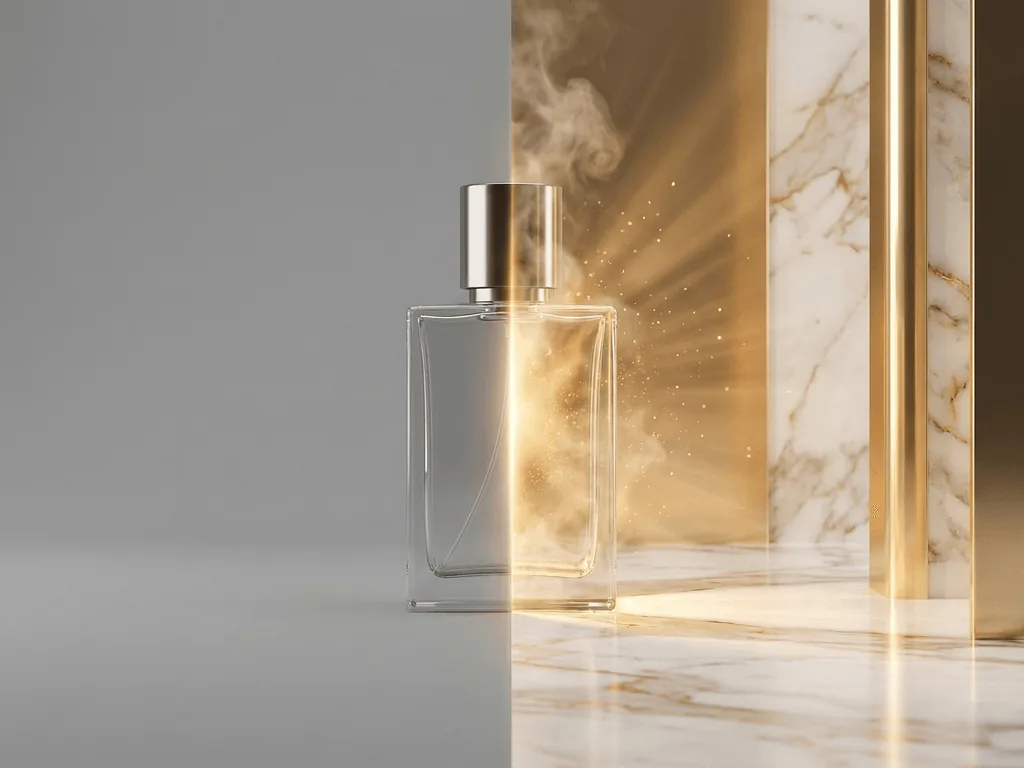
Shooting transparent products. Glass bottles and clear containers need backlighting to show the product inside. Place a light source behind and below, angled upward through the product. The liquid glows, the label stays sharp, and the glass shows clean edges without harsh reflections. This technique — called "bright field lighting" — is how professionals make serums and fragrances look luminous.
Why Standard AI Tools Struggle with Beauty
Generic AI image generators were built for creative artwork — not commercial product photography. When you feed a beauty product photo into a general-purpose tool, the results reveal fundamental gaps.
Color distortion. General AI models approximate colors rather than preserving them. Your carefully formulated "Berry Crush" lipstick might come back as something closer to "Muted Plum." For fashion or home decor, a slight shift might go unnoticed. For beauty, it means returns, negative reviews, and lost trust. Customers buying shade 203 expect shade 203 — not the AI's interpretation of it.
Texture erasure. AI models trained on general imagery tend to smooth surfaces. The shimmer particles in a highlighter disappear. The matte finish on a powder compact becomes uniformly flat. The creamy swirl visible in a lipstick bullet gets averaged into a solid block of color. These texture cues are how customers evaluate product quality through a screen.
Packaging hallucination. General models sometimes modify product packaging — adding extra text, changing label proportions, or subtly altering logo shapes. For a brand that has invested in packaging design, even minor deviations look unprofessional and can violate trademark consistency.
Lighting mismatch. The AI generates a warm sunset background, but your product was shot under cool fluorescent light. The product floats in the scene without realistic integration — shadows point the wrong direction, reflections do not match the environment, and the result looks composited rather than photographed.
Purpose-built tools handle beauty differently. Pixora's beauty presets understand material properties — they recognize glass, metallic, matte, and glossy surfaces and generate lighting environments that match. The Beauty Studio preset maintains exact color fidelity while placing your product on a marketplace-compliant white background. The Aesthetic Still Life preset creates editorial compositions where light interacts correctly with your product's surface. No prompt required — the preset encodes the photography knowledge that generic tools lack.
See the Difference on Your Own Products
Upload a lipstick, serum, or palette photo. Pick a beauty preset. Get a professional result in seconds — colors preserved, textures intact, no editing required.
Top-performing beauty brands follow a consistent framework for product listings. Each photo type serves a specific purpose in the buyer's decision journey.
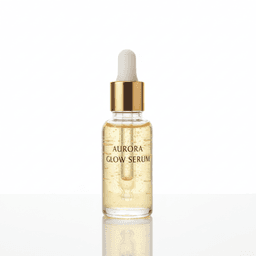
Photo 1-2: The Hero Shot. Clean white background, sharp detail, product centered. This is your main listing image on Amazon, Shopify, or your own store. It must be pure white (RGB 255,255,255) for Amazon compliance and detailed enough for zoom. Show the full product with packaging — the bottle, the cap, the label — all sharp and color-accurate. Pixora's Beauty Studio preset generates exactly this: marketplace-compliant white backgrounds that preserve the precise shade of every product.
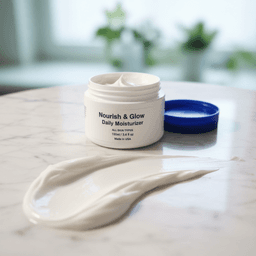
Photo 3: The Texture Close-Up. A macro shot showing the product's surface quality. The creamy consistency of a moisturizer. The pigment density of an eyeshadow. The glossy finish of a lip gloss wand. This is the digital equivalent of swatching on your hand at Sephora. Pixora's Macro Swatch & Detail preset is built for this — it enhances texture visibility while maintaining the product's true colors.
Photo 4-5: The Lifestyle Context. Your product styled in an aspirational setting. A skincare lineup on a spa-like marble counter. A lipstick on a vanity mirror reflecting warm light. These images create emotional connection — they sell the ritual, not just the formula. Pixora's Beauty Aesthetic Still Life preset creates editorial compositions with curated lighting that matches your product's surface properties.
Photo 6-7: The Application Shot. For color cosmetics, showing the product in use is critical. A foundation shade on skin, a lipstick applied on lips, an eyeshadow blended on a lid. These are the most powerful conversion drivers in beauty e-commerce because they answer the question every buyer asks: "How will this look on me?" Pixora's On-Model Application preset places your product on a photorealistic model, automatically detecting the product type and positioning it correctly.
This framework covers every angle a beauty buyer needs to make a confident purchase decision — from the rational (color accuracy, packaging detail) to the emotional (lifestyle aspiration, application visualization).
From Phone Photo to Professional Beauty Listing
01
Prepare and Photograph
Clean your product with a microfiber cloth. Shoot near a window on a white surface with flash off. Lock focus, use telephoto lens if available, and include a white reference card in one shot for color calibration.
A sharp, color-accurate source image ready for AI enhancement.
02
Choose Your Preset
Beauty Studio for marketplace hero shots. Aesthetic Still Life for editorial mood. Macro Swatch for texture close-ups. On-Model Application for usage context.
Professional results tailored to each image slot in your listing.
03
Generate, Review, Publish
Upload your photo, generate in seconds, verify color accuracy against the physical product, and add to your listing. Repeat across your entire catalog for visual consistency.
A beauty brand that looks like it belongs on Sephora's digital shelf.
Platform-Specific Requirements for Beauty Listings
Each marketplace has its own standards for beauty product imagery. Getting these wrong means rejected listings, suppressed search visibility, or worse — returns that eat into your margin.
Amazon Beauty. Main images require a pure white background (RGB 255,255,255), RGB color mode, and minimum 1600px on the longest side for zoom functionality. The product must fill at least 85% of the frame, with brand name and size clearly readable. Amazon recommends 5500K daylight-balanced lighting. Secondary images should include multiple angles, swatch photos for color cosmetics, and lifestyle shots. Amazon's A9 algorithm rewards listings with 6-7 high-quality images with higher search placement.
Shopify and DTC stores. You control the standards, which means consistency matters even more. Establish a photography style guide: same lighting direction, same background tone, same composition rules across every product. Brands with consistent imagery see up to 20% higher revenue. Recommended: 2048px square images, consistent aspect ratio across all products, and at least one lifestyle shot per listing.
Instagram and social commerce. 70% of product discovery for beauty happens on social media. Square and 4:5 vertical formats perform best. Lifestyle and application shots outperform white-background hero shots by a wide margin on social platforms. The Aesthetic Still Life and On-Model Application presets generate social-ready imagery without requiring separate photoshoots.
Sephora and prestige marketplaces. These platforms maintain strict brand consistency standards. Photography must match the premium aesthetic of the marketplace. While specific technical specs are shared during the vendor onboarding process, the principle is universal: your product imagery must feel like it belongs alongside established luxury brands. High-resolution, color-accurate, professionally lit — there are no shortcuts.
Beauty Product Photo Quality Checklist
Color accuracy verified against physical product — no warm or cool casts
Textures visible: matte, shimmer, glossy, and cream finishes distinguishable on screen
No reflections of the photographer, camera, or surrounding environment on glossy surfaces
Background is pure white (RGB 255,255,255) for marketplace main images
At least one texture close-up and one lifestyle or application shot per listing
Imagine Your Beauty Brand Six Months From Now
Every product in your catalog photographed with the same professional standard. Hero shots so precise that customers never question color accuracy. Texture close-ups that make shoppers feel like they swatched the product on their own hand. Lifestyle images that belong in a beauty editorial.
A customer discovers your brand on Instagram. They tap through to your store and see consistency — every serum, every palette, every lipstick presented with the same polish they expect from brands ten times your size. They do not see an indie brand working from a spare room. They see a brand that takes itself as seriously as the products it makes.
Return rates drop because what arrives matches what they saw on screen. Reviews start mentioning how the color was "exactly as shown." Repeat purchase rates climb because trust was built from the very first image. Your holiday collection launches with professional imagery the same week you finalize the products — no waiting six weeks for a photographer's availability.
The gap between where your brand stands today and that brand is not a $5,000 photoshoot budget. It is one product photo, one preset, and a few seconds of generation time.
What Changes When Your Beauty Photos Improve
Higher conversions — professional imagery in beauty converts at nearly 5%, one of the highest rates in e-commerce
Fewer shade-related returns — accurate color photography eliminates the number one reason beauty products get sent back
Faster product launches — new collections go live with professional photos in hours, not weeks
Stronger brand perception — consistent, polished imagery signals premium quality regardless of price point
Social-ready content — lifestyle and editorial shots drive engagement on Instagram and TikTok without separate photoshoots
Share this article
Your Formulas Deserve Photos That Match Their Quality
You spent months perfecting your shades, textures, and packaging. Do not let a flat photo on a kitchen counter be the first impression. Pixora turns any beauty product snapshot into marketplace-ready imagery in seconds — colors preserved, textures intact, no prompt required.
Pixora's beauty presets are built to maintain color fidelity. The AI preserves the precise shade from your source photo rather than reinterpreting it. For the best results, shoot with proper white balance and upload a color-accurate source image — the AI can only be as accurate as the input.
The beauty presets understand how light interacts with glossy, metallic, and matte surfaces. They generate lighting environments that produce natural reflections and highlights appropriate to each material — soft gradients on glass, clean specular highlights on metallic caps, and even illumination on matte containers.
Yes. The Beauty Studio preset generates pure white backgrounds that meet Amazon's RGB 255,255,255 standard at 1600px+ resolution. No manual background editing needed.
Yes. The On-Model Application preset places beauty products on a photorealistic AI model, automatically detecting the product type and positioning it in the correct context — lipstick on lips, foundation on skin, eyeshadow on lids.
A sharp, well-lit photo on a simple background. A modern smartphone near a window works well. The keys for beauty products are color accuracy (use white balance) and clean surfaces (wipe products before shooting). Avoid flash — it creates harsh reflections on glossy packaging.
Absolutely. Using the same preset across your catalog ensures consistent lighting, composition, and style. This is how brands achieve the uniform look you see on Sephora or Ulta — the same visual language applied to every product.
The Pro plan at $9.90 per month includes 2,000 credits. Each generation uses a small number of credits, allowing you to generate professional imagery for your entire beauty catalog — hero shots, texture close-ups, lifestyle images, and application shots — in a single session.